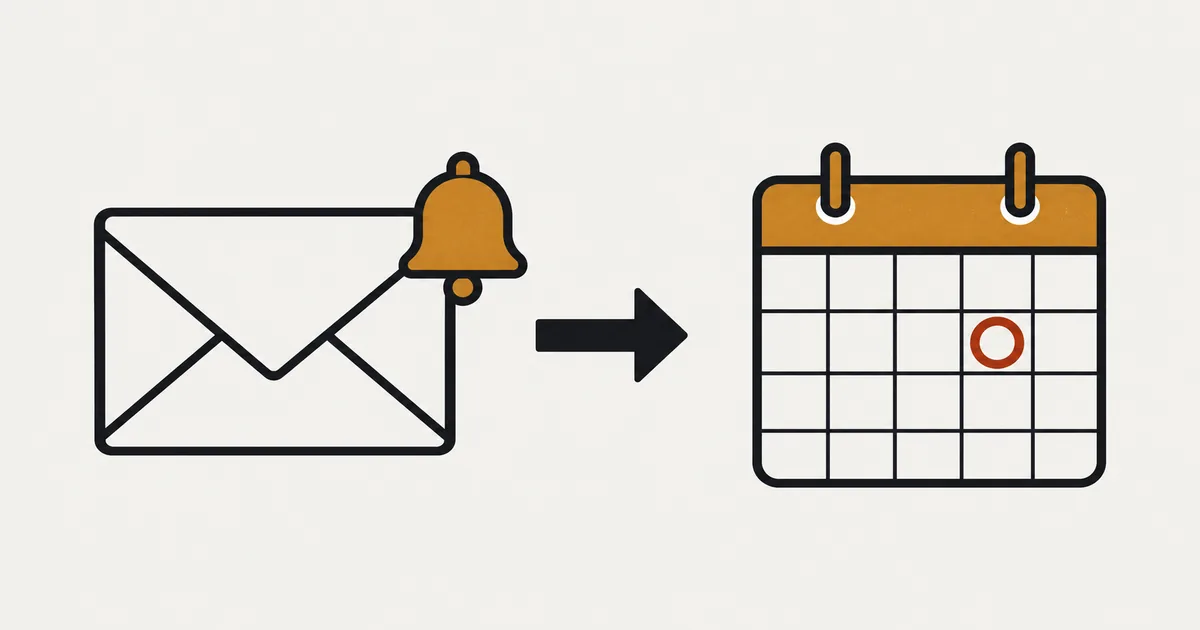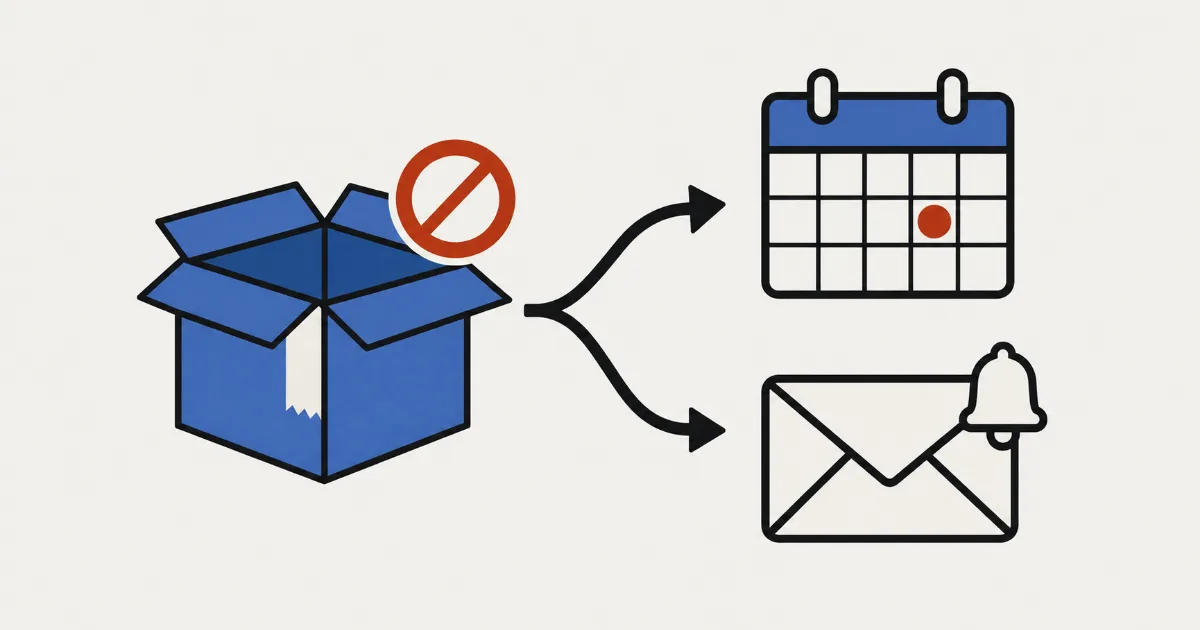
“I’d like to start taking orders now for a product that arrives next month.” If that is where you are, settle a few things before you set up any button: which product, from when until when, how many orders you will take, how you will word the ship date, when you will collect payment, and how you will tell customers if it runs late. Open pre-orders without deciding these and you will end up chasing delay notices and customer questions.
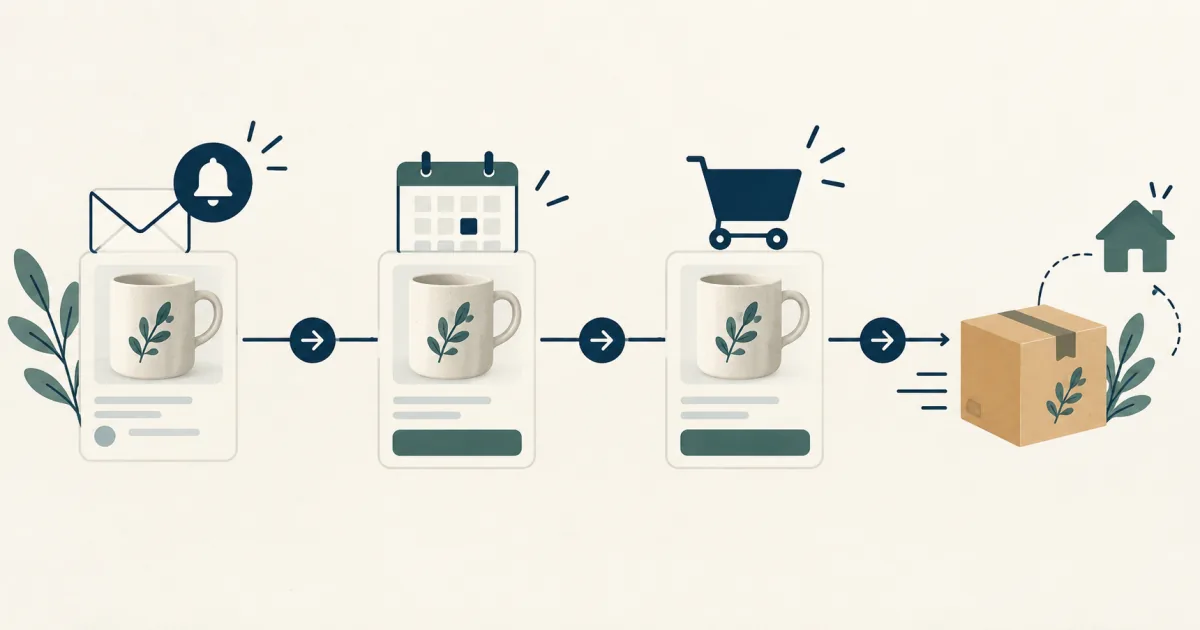
You then enter those dates in a per-product schedule in SellRules, a Shopify app. As each time arrives, the buy button on the product page changes from “Get Notified” to “Pre-order Now” and then back to your usual add-to-cart button, while the pre-order start notification to people who signed up and the pre-order confirmation to people who ordered go out on their own. Start with one test product, check the pages and emails in order, and only then roll it out to your real products.
What changes during a pre-order, and when
A pre-order means taking orders before a product is released or restocked and shipping once it is ready. SellRules moves one product through three phases (announcement, pre-order and regular sale), and the button customers see changes with each phase.
| Phase | When it starts (field) | What customers see | What it means for your store |
|---|---|---|---|
| Announcement | Coming-soon start date (optional) | A “Get Notified” button and an email field | You collect contact details from people who want to buy before launch |
| Pre-order | Pre-order start date (required) | A “Pre-order Now” button with the shipping estimate below it | You can take orders before the stock arrives (when you get paid depends on your payment settings) |
| Regular sale | Sale start date | Your theme’s usual add-to-cart button | Pre-order intake ends and the product goes back to normal |
If you don’t need an announcement, leave that phase out and start straight with pre-orders. When the pre-order ends, besides switching to regular sales you can choose “End sales with a sold-out display” or “No deadline (keep taking pre-orders)”.
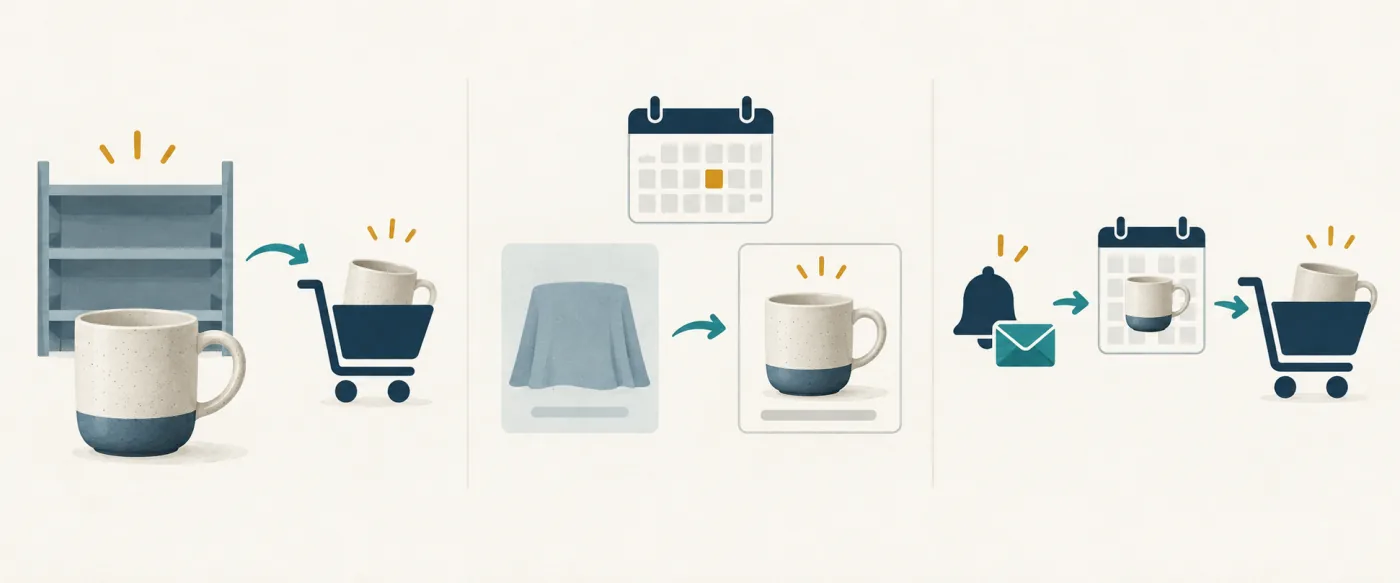
One thing to know is how inventory is handled. While a product is on pre-order or made to order, the inventory policy of the affected variants switches to “Continue selling when out of stock”, and it reverts when regular sale starts. Orders go through even at 0 stock, so set how many you will accept with the order limit covered below.
5 things to decide before you open pre-orders
What causes trouble later is rarely the button setting. It is how many orders you took and when you promised to deliver them. Decide these five first and you can type them straight into SellRules.
| What to decide | For example | Where it goes in SellRules |
|---|---|---|
| 1. Which product to pre-sell | A new item whose next delivery date your supplier has confirmed | Target products (whole product or per variant) |
| 2. The intake period | From July 10 to July 31 | Pre-order start date and sale start date (or the “When the pre-order ends” choice) |
| 3. How many to accept | Up to 30, the same as the incoming quantity | Order limit |
| 4. How to word the ship date | “Early August” | Estimated shipping (text) and Estimated ship date |
| 5. When you get paid, and how you report delays | Full payment at checkout / send a delay notice if it slips | Payment follows your Shopify payment settings (deposits need the Pro plan); notices go through “Order progress” |
1. Which product: start with one whose arrival you can explain
Make your first product one whose arrival or completion date you can explain to customers: a new item your supplier has given you a delivery date for, or your next handmade piece with a production plan in place. If you can’t yet tell when stock will come in, it is safer to collect sign-ups for an availability notice instead of taking orders (use only the announcement phase, or see how to collect pre-launch notification sign-ups).
2 and 3. Intake period and order limit: never accept more than you will receive
The pre-order start date is required. If the dates don’t run in the order announcement, pre-order, regular sale, you get “Dates are out of order. Use this order: coming soon, pre-order, regular sales.” and the schedule won’t save. Dates and times are saved in the store time zone set under Shopify “Settings → General”.
The order limit is the total number of units you will accept (an order for 2 counts as 2). Variants given their own limit are counted separately. Once the limit is reached, the store stops accepting pre-orders and the product returns to regular sale: customers can buy as usual if you have stock, and Shopify shows it as sold out if you don’t. However, it can take a few minutes for the store to stop accepting pre-orders after the limit is reached. Orders placed during that time can take you slightly over the limit. Leave it empty for no limit. If you know how many units are coming, setting a limit helps prevent taking too many orders. Set it a little below the incoming quantity to allow for orders placed in those few minutes.
4. Ship date: the period customers see, and the date used for delay notices
There are two shipping fields. “Estimated shipping (text)” appears under the buy button after the label “Est. shipping:”. The field’s own example is just a period such as “Late March”, so if you type “Early August”, customers see “Est. shipping: Early August”. Type a whole phrase like “Ships in early August” and it reads “Est. shipping: Ships in early August”, so enter only the period. If the text is empty, the line is built from the date field.
“Estimated ship date” is the reference for delay notices. If you move this date later than the one the customer was given at checkout, a delay notice goes to the customer at the next check (you can turn this off in the notification settings). Simply passing the date sends nothing. If you choose “Ship within X days of order”, the page shows an estimate such as “Ships within 14 days of order”, but the date is cleared and no delay notice is sent automatically.
For example, if stock lands in late July and checking and packing take a few days, write “Early August” as the text and put a date you know you can meet, such as August 10, in the date field. Give the text some room and make the date the point after which you would call it late. When you need to contact customers later, you won’t have to think twice.
In Japan, the Consumer Affairs Agency’s guide to the Act on Specified Commercial Transactions lists the “delivery time of the goods” among the items a mail-order advertisement must show (Consumer Affairs Agency, Act on Specified Commercial Transactions guide, “Mail order”, checked October 19, 2026). With pre-orders, goods ship some time after the order, so stating the shipping period on the product page also makes your promise to customers clear. Whether you must display it and how to word it depends on your situation; check with a professional or official sources.
5. When you get paid, and how you report delays
Turning on pre-orders does not change when you get paid. Pre-orders and made-to-order orders are recorded as ordinary Shopify orders, and payment and shipping follow your Shopify settings. If a product is a long way from release or expensive, and asking for the full price upfront feels like a lot, you can take only a deposit at checkout and collect the balance automatically on its due date with deposit and balance payments (SellRules Pro plan). Why full prepayment makes customers hesitate covers the thinking, and how to charge a deposit now and the balance later covers the setup.
If you capture payments manually in Shopify Payments, watch the authorization window. Shopify’s help says, “Shopify Payments provides an authorization period of 7 days.” If you don’t capture within that period, you can’t collect the payment (Shopify Help, “Payment authorization”, checked October 19, 2026). If a pre-order is more than a week from release and you plan to capture when you ship, rethink how you take payment.
If shipping looks like it will be late, select the orders in SellRules’ “Order progress” and use “Edit ship date” to enter a new date and a reason. Tick “Notify customer of delay” and a delay notice goes out. Cash on delivery can be refused at the door, so decide before you open intake whether to turn off cash on delivery for pre-order products.
When Shopify’s built-in setting is enough, and when to use SellRules
If all you need is to keep taking orders while out of stock, Shopify’s built-in setting may be enough. Track the product’s inventory and select “Continue selling when out of stock” in the inventory section, and customers can buy even at 0 stock (Shopify Help, checked October 19, 2026).
| Your situation | What fits |
|---|---|
| You only want to keep taking orders while out of stock, and you can watch the deadline and count yourself | Shopify’s “Continue selling when out of stock” |
| You want the button to change around launch day, with a set intake period and count that stop automatically | A SellRules pre-order schedule |
| You want to collect contact details before launch and tell people when pre-orders open | The SellRules announcement phase (sign-ups and the pre-order start notification) |
| You want customers to pay part of the price upfront | Deposit and balance payments on the SellRules Pro plan |
That setting lets customers buy at 0 stock, but Shopify’s help describes no option to change the button text or end intake at a set time. Those changes stay manual. If remembering dates and editing the product page for every launch is a burden, that is where handing it to SellRules pays off. For the difference between scheduling a product’s publication and switching the button, see sales switches that don’t need you awake at launch time. To compare with other pre-order apps, see how to choose a pre-order app.
How to set it up for one product in SellRules
Here you take one published test product all the way to a working pre-order. You need staff permissions to install apps and edit themes (“Manage apps” and “Edit themes”) and a theme that supports app embeds (Online Store 2.0). No theme code editing is required.
- Turn on the app embed in your theme. In Shopify, open “Online Store → Themes → Customize”, switch SellRules on under App embeds on the left, and save. If this is off, the buy button won’t change no matter what dates you enter. If you change themes, switch it on again in the new theme.
- Choose a test product. In SellRules, open “Sales schedules” in the left menu, go to the “Pre-orders” tab and press “Create pre-order”. On “Select pre-order products”, tick a published test product and press “Next”. You can create one schedule for the whole product or one per variant.
- Enter the dates and how it ends. Enter the coming-soon start date (optional), the pre-order start date and the sale start date, in that order. For a test, set the announcement to start today, pre-orders a little later and regular sale later still, so you can watch each switch. Also check that the line “Dates and times are saved in your store’s time zone (…)” matches the clock you are using. Under “When the pre-order ends”, choose whether to switch to regular sales, end with a sold-out display or keep going with no deadline.
- Add the shipping estimate and order limit, then create. Put a period such as “Early August” in “Estimated shipping (text)” and a date you can meet in “Estimated ship date”. Add an order limit if you need one and press “Create”; the schedule is added to the list.
- Check the customer’s pages and emails. Open the product page and see whether the button matches the phase. During the announcement, sign up with your own email address; once pre-orders open, place one test order. On the Free plan, this test order counts toward your running total of pre-order orders, and the pre-order start notification to your sign-up counts toward your notification emails, one each, and cancelling doesn’t give them back. The next section shows what appears, in order.
For example, to take pre-orders for a handmade leather wallet from July 10 and return to regular sale on August 1, set the pre-order start date to July 10, the sale start date to August 1, the shipping text to “Early August” and the order limit to the number you can make. Before you enter this on the real product, try the same sequence on a test product with shorter gaps, so you see how the day will play out in advance.
Avoid testing on a live product straight away. During pre-orders the inventory policy switches to “Continue selling when out of stock”, so orders go through with no stock and you may get orders you didn’t intend.
What customers see and receive, in order
Judge whether the setup works by what customers see and the emails they get, more than by what the admin shows. From the announcement to shipping, this is what shows up on the customer’s side and on yours (wording as it appears when the storefront language is English and you haven’t changed the displayed text).
| When | What the customer sees or receives | What you see |
|---|---|---|
| During the announcement | In place of the buy button: “We’ll email you as soon as it’s available.”, an email field and a “Get Notified” button | The schedule list shows the status “Coming soon” |
| Right after signing up | “You’re signed up! We’ll notify you when available.” | The sign-up appears under “Back-in-stock subscribers” |
| When pre-orders open | Sign-ups get the “Pre-order start notification” (subject “[Pre-order Now Available]” plus the product name). A page left open stays the same; reloading it brings up “Pre-order Now” | The status becomes “Pre-order”. The sign-up’s status under “Back-in-stock subscribers” changes to “Sent” (meaning the sending process has started; on Standard or Pro, you can also check the result in the “Delivery log”) |
| The product page during pre-orders | A “Pre-order Now” button with “Est. shipping: Early August” below it | ― |
| Adding to cart | Under the item, “Pre-order” with “Est. shipping: Early August” (how it looks depends on your theme). With a regular item in the same cart: “Your cart contains items with different delivery dates. Consider checking out separately if you need items sooner.” | ― |
| Right after ordering | The “Pre-order confirmation” (subject “[Pre-order Received] Your order for” plus the product name and “has been confirmed”) | The order appears in “Order progress” as “Not started”. The Shopify order gets a fulfillment hold and the line item carries _Pre-order |
| Getting ready to ship | ― | Press “Start shipment preparation” in “Order progress” to release the hold so you can fulfill in Shopify |
| When it ships | The “Shipped notice” (subject “[Shipped]” plus the product name) | You fulfill the order in Shopify |
| When regular sale starts | Your theme’s usual add-to-cart button | The status becomes “On sale” |
As you work through the pages and emails, three things tend to trip people up. The first is a page left open: phases change at the times you set, but a product page the customer already has open does not update automatically. If the button hasn’t changed after the time has passed, reload the page. The second is how the pre-order start notification is counted and how to check whether it arrived: on the Free plan it counts toward the lifetime total of 15 back-in-stock and sale-start emails (Notify Me). Anything over the cap is held rather than sent. Once you move to Standard or Pro, the sales status is checked again before it is sent (it is cancelled if by then the product is set to show that sales have ended or you have deleted the schedule; if the product has switched to regular sales, it is sent as is). If a product may attract many sign-ups, check the cap first. The Free plan does not include delivery logs or test emails, so check your own inbox to see whether the email arrived. “Sent” under “Back-in-stock subscribers” means the sending process has started, not that the email has arrived. The third is buying during the announcement: the button on the product page is hidden, but to also stop purchases through direct links to the cart or checkout, tick “Block purchases during the announcement period” on the create screen.
For releasing the fulfillment hold on pre-orders, see why pre-orders show as “On hold” and how to release them. When you have finished testing, cancel the test order the same way as in the next section, and delete the schedule to return the product to normal immediately.
When a customer asks to cancel
Pre-orders leave a long gap between order and shipping, so plan before you open intake for the customer who writes, “Actually, I’d like to cancel.” For a pre-order paid in full at checkout, you cancel and refund in the Shopify order screen, and SellRules picks that up to handle the message and the order limit.
- Open the order in your Shopify admin and cancel it. The cancel screen lets you choose how to refund, whether to restock and whether to notify the customer. Restocking and the customer notification are both selected by default (Shopify Help, “Canceling orders”, checked October 19, 2026).
- SellRules picks up the cancellation, sends the customer the “Cancellation confirmation” (subject “[Cancelled] Your order for” plus the product name and “has been cancelled”), and the order drops off “Order progress”.
- The cancelled quantity goes back to the order limit. A product that had reached its limit and gone back to normal purchasing returns to taking pre-orders once there is room.
If you leave the customer notification selected on Shopify’s screen, the customer may get two emails: Shopify’s cancellation email and SellRules’ “Cancellation confirmation”. If you want just one, untick the notification on Shopify’s screen. Orders with deposit and balance payments (Pro plan) work differently, for example customers can cancel themselves from the link in the balance reminder email, so see how to charge a deposit now and the balance later.
Button missing or not switching? Check these first
When something doesn’t work, suspect a missed setting first. Here are the common causes, by symptom.
| What you see | Check this first |
|---|---|
| The pre-order button doesn’t appear on any product | Whether SellRules is on in your theme’s app embeds (check right after a theme change too) |
| Only this product shows no button | Whether the product has a schedule, and whether the first phase simply hasn’t started yet |
| Nothing changes after the set time | The time zone shown on the create screen and the time zone under Shopify “Settings → General” |
| The shipping line reads oddly, like “Est. shipping: Ships in early August” | Whether you typed a whole phrase instead of just the period in “Estimated shipping (text)” |
| The test order doesn’t show up in “Order progress” | Whether the order details carry _Pre-order (if not, pre-orders weren’t open yet when it was placed, the app embed was off, or it was bought through a direct link to the cart) |
If the table doesn’t solve it, the full troubleshooting sequence is in what to check when the pre-order button doesn’t show.
What this article doesn’t cover, and what the app doesn’t do for you
SellRules handles taking pre-orders, switching sales phases, tracking pre-order progress and sending notices. Preparing the product, packing and shipping, and cancelling or refunding are done in Shopify and by your store, and the app does not guarantee any arrival or ship date.
These topics have their own articles:
- Shipping an order that has a pre-order item and a regular item together: when customers buy pre-order and regular items in one order
- Deciding how to sell beyond pre-orders, including purchase limits and restock notices: the big picture for early-access and limited sales
Frequently asked questions
Will customers who signed up during the announcement hear when pre-orders open?
Yes. The moment the product moves from the announcement to pre-orders, a “Pre-order start notification” (subject “[Pre-order Now Available]” plus the product name) goes out automatically to every sign-up who hasn’t had it yet. On the Free plan these emails count toward your back-in-stock and sale-start email allowance, so check the cap first if you expect many sign-ups.
A customer wants to cancel their pre-order. What do I do?
Open the order in your Shopify admin, cancel it and refund it. SellRules picks up the cancellation, emails the customer a “Cancellation confirmation” and returns the cancelled quantity to the order limit. If you leave the customer notification selected on Shopify’s cancel screen, Shopify may send its own cancellation email as well.
What happens when the order limit is reached?
The store stops accepting pre-orders and the product returns to regular sale. If you have stock, customers can buy as usual; if not, Shopify shows it as sold out. It can take a few minutes for the store to stop accepting pre-orders, and orders placed during that time can take you slightly over the limit. The store accepts pre-orders again if you raise the limit or cancellations bring the count down.
Do pre-orders mean I get paid when the order ships?
No. Turning on pre-orders does not change when you get paid; that follows your Shopify payment settings. If you want to take part of the price at checkout and charge the rest later, use deposit and balance payments on the SellRules Pro plan.
If the release date slips, how do I tell customers who pre-ordered?
In SellRules’ “Order progress”, select the orders, use “Edit ship date” to enter the new date and a reason, and tick “Notify customer of delay”. A delay notice with a subject starting “[Notice]” goes out. Update the shipping estimate on the product page to match, too.
Once it works: rolling out to real products, and pricing
Once the test product checks out, apply the same steps to your real products. If several products only need the same dates, select them in the schedule list and use “Bulk edit”.
You can start on the Free plan. The Free plan costs nothing and includes pre-orders and notification sign-ups, up to 10 pre-order and made-to-order orders in total since installation. When you hit that number, intake stops on every pre-order product page, including ones already open (your settings are kept, and switching to Standard or Pro brings them back right away). Standard and Pro have no free trial; the Free plan takes its place.
SellRules plans and pricing
| Monthly price | LaunchEvery feature included |
|---|---|
| Monthly price | US$7.99 per month |
| Free trial | 10 days |
| Pre-order and made-to-order orders | Unlimited |
| Back-in-stock and sale-start emails (Notify Me) | Unlimited |
| Purchase limits | No limit on products |
| Customizable notification emails | Yes |
| Deposit payments | Yes |
Pre-orders, made-to-order, back-in-stock alerts, purchase limits, stockout switching, deposit payments and order processing are all included in the Launch plan.
The first 10 days are free. If you remove the app during the trial, you are not charged.
Back-in-stock and sale-start emails have no sending cap. The same goes for required messages such as order confirmations, shipping updates and balance reminders.
The Free, Standard, and Pro plans are closed to new sign-ups. Shops already on them keep their current terms.
If you will keep taking pre-orders, move to the Standard plan at US$9.90 per month, which has no cap on orders. To take only a deposit at checkout, use deposit and balance payments on the Pro plan at US$19.90 per month. Charges are added to your Shopify bill.
Pick the next product you will launch and start by checking the date sequence on a test product. If you want to judge on one product whether SellRules is worth keeping, beyond pre-orders, see what to check while trying the Free plan. The full feature list is on the SellRules page.
This article was written by JizaiDev, the developer and provider of SellRules, based on the app’s screens and email wording, the SellRules user guide and official sources. Features checked: October 19, 2026. Pricing reflects the new plans (Free, Standard, Pro) published on October 18, 2026. See also the Shopify App Store listing.