Your new product launches at 8 in the evening. Are you keeping that time free so you can sit with the admin open? Announcing the launch and preparing orders for shipping take work, but waiting around just to change the buy button adds another task to the day.
Set the dates in advance and the app can handle the switch. Use SellRules “Coming soon” to start selling at launch without taking pre-orders, or “Pre-order” to accept orders before launch. The buy button changes at the time you set. If you simply want to hide the product itself until launch, Shopify's built-in scheduled publishing is enough.
This article compares the 3 options, explains how to choose between Coming soon and Pre-order, and covers setup, what customers see at the switch, and what to do if the dates change. For the wider decisions about how to sell, see planning early-access and limited sales.
Hide the product with scheduled publishing, or show it before launch with SellRules
The right feature depends on what customers should see before launch. Use Shopify's scheduled publishing to hide the product, SellRules Coming soon to show the page but block purchases, or SellRules Pre-order to accept orders in advance.
| Option | What customers see before launch | What happens at launch time | Orders before launch | Start notification email |
|---|---|---|---|---|
| Shopify scheduled publishing | The product is hidden from the online store | The product is published | Not accepted | None |
| SellRules Coming soon | The product page with a disabled “Coming soon” button, or an email signup field if enabled | The regular buy button returns and regular sales begin | Not accepted | Sent once at sale start if signups are enabled |
| SellRules Pre-order | “Get Notified” and a signup field if an announcement period is added; otherwise “Pre-order Now” from the start | Changes to “Pre-order Now” at pre-order start, then to the theme's regular buy button at regular sale start | Accepted as pre-orders | Sent once at pre-order start if an announcement period is added |
Shopify's help center describes scheduled publishing as a way to hide parts of your online store until a date and time you choose. The product must have “Active” status to be published, and you can't schedule individual variants. This option doesn't suit a launch where you want customers to visit the product page and talk about it beforehand.
SellRules sales schedules work with a product page you have already published, changing only the buy button to match the schedule. Customers can see the photos and description before launch, so links in your social posts can lead to a “Coming soon” product page.
Choose Coming soon or Pre-order based on whether you want advance orders
The difference is whether you accept orders before launch. Use Coming soon if stock will be ready at launch and you want to sell on a first-come, first-served basis from that time. Use Pre-order if you want to accept orders before the goods arrive or are finished.
Consider these 2 launches (examples for illustration):
- Launch 30 pieces of a new earring design on Friday at 20:00: stock will be on hand before launch. You don't need pre-orders, so create a Coming soon schedule with “Sale start” set to Friday at 20:00. To alert customers waiting for the launch, select “Accept notification sign-ups during the announcement”.
- Take pre-orders for tableware arriving next month: you know the delivery date and quantity. Create a pre-order schedule with an announcement period to collect signups, accept orders from the pre-order start time, and switch to regular sale once the goods arrive.
The announcement period is optional for pre-orders. The creation screen says to add it only if you want to collect email addresses before launch and notify people when pre-orders open. Without it, orders are accepted from the pre-order start time. For order limits, shipping estimates and payments, see how to start taking pre-orders on Shopify.
With Coming soon, sales are first-come, first-served once the launch time passes. If you need to decide how many items can be sold or how many each person can buy before then, also set up purchase quantity limits.
Write dates in the store's time zone: announcement, pre-orders, regular sale
Write down the transition dates before entering them in SellRules. This makes mistakes easier to spot. Dates are saved in the store's time zone, and you can't save them unless they run in the order announcement, pre-order start, regular sale.
For the tableware example above, you could write:
| Phase | Date and time in the store's time zone | Buy button on the product page |
|---|---|---|
| Announcement start | The 10th at 12:00 | “Get Notified” and an email signup field |
| Pre-order start | The 17th at 20:00 | “Pre-order Now” and the shipping estimate |
| Regular sale start | The day after the expected delivery, at 0:00 | The theme's regular buy button |
The creation screen tells you that dates and times are saved in your shop's time zone. If the store time zone under Shopify “Settings → General” is still set to another country, the switch will happen at a different time than you intended. Check that it matches the region where you sell before entering the dates.
If the dates are out of sequence, the message says “Dates are out of order. Set them in this order: announcement, pre-order start, regular sale”, and you can't save. For Coming soon, the sale start must be in the future.
How to enter the schedule in SellRules
Create schedules from “Sales schedules” in SellRules' left-hand menu. Coming soon and Pre-order have separate creation buttons, but both start with choosing a product and entering dates. Before you begin, set the product's Shopify status to “Active” and publish it to the online store.
For Coming soon
- In “Sales schedules”, select “Create coming soon” and choose the product. You can apply the schedule to the whole product or just a particular variant.
- Enter the “Announcement start” when the page should start showing “Coming soon”. Leave it blank to start the announcement as soon as you save.
- Enter the launch date and time in “Sale start”. The product switches to regular sale at that time.
- To collect email addresses from customers waiting for launch, select “Accept notification sign-ups during the announcement”. The product page shows a signup field, and each person who signs up receives one email when sales start.
- Select “Create”.
If you set the announcement start in the future, customers can still buy until then. The creation screen also says that purchases remain possible until the announcement starts, and that leaving it blank blocks purchases immediately. To stop sales of an already-published product until launch, leave the announcement start blank.
For Pre-order
- In “Sales schedules”, select “Create pre-order” and choose the product.
- To collect notification signups before launch, select “Add announcement period” and enter the announcement start date.
- Under “Pre-order intake”, enter the pre-order start date, shipping estimate and, if needed, an “Order limit”. Enter “Late March” in “Estimated shipping (text)” and the buy button will show “📦 Est. shipping: Late March” beneath it. Including “Est. shipping” in the field would repeat the wording.
- Under “When pre-orders end”, choose “Switch to regular sale”, “End sales and show sales ended” or “No deadline (keep taking pre-orders)”. If switching to regular sale, also enter its start date. For a limited sales window, set the end date under “Also set an end date for regular sales (limited-time sale)”.
- If you added an announcement period and want to block purchases through direct cart links during it, select “Block purchases during the announcement period”.
- Check the buy button and badge for each phase under “Example of what customers see”, then select “Create”.
You can check created schedules in the Sales schedules list or calendar view. When several launches are close together, the calendar helps you spot dates that overlap and prepare for shipping and customer questions on the day.
Coming soon is limited to 1 product on the Free plan. To use it for a second product or more, switch to Standard or Pro. A product with unfulfilled pre-order or made-to-order orders can't be changed to Coming soon; fulfill those orders first.
What customers see when the launch time arrives
SellRules changes the product page and whether orders are accepted at each announcement start, pre-order start, sale start and end time. If a scheduled change is missed for any reason, a recurring check picks it up later. The effect on the customer's screen depends on the schedule type and whether the page was already open.
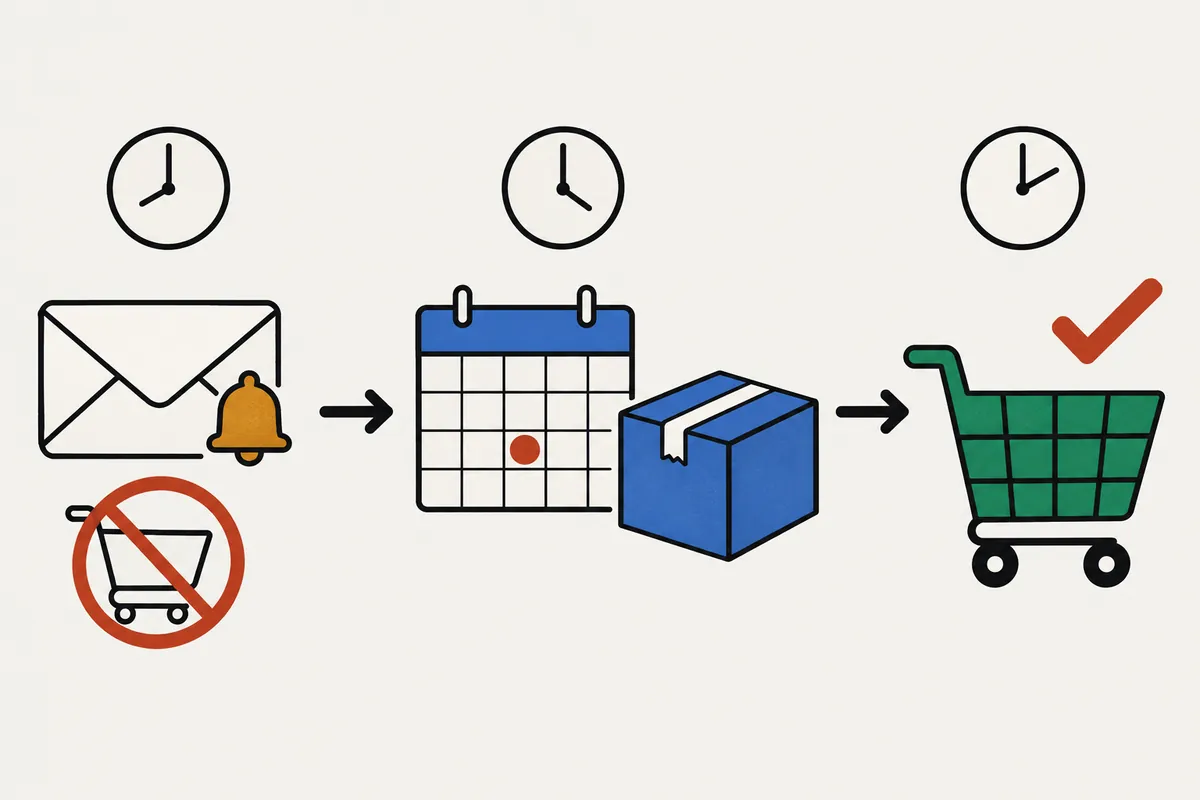
| Type | During the announcement | Opening a new page after the start time | Keeping the page open across the start time |
|---|---|---|---|
| Coming soon | A disabled “Coming soon” button, or a signup field if enabled | The theme's regular buy button | The buy button returns on the open page at the start time if the sale is due to start within 24 hours when the page is opened |
| Pre-order with an announcement period | “Get Notified” and a signup field | “Pre-order Now” and the shipping estimate | “Get Notified” stays unchanged. Reloading displays the pre-order button |
| Pre-order switching to regular sale | — | The theme's regular buy button | Changes when the page is reloaded |
Coming soon restores the button on an open page if the sale is due to start within 24 hours when the page is opened. Pages opened more than 24 hours before the sale starts stay unchanged after the start time; reloading brings back the buy button. For pre-orders, an open page stays unchanged both when the announcement switches to pre-orders and when pre-orders switch to regular sale. Add a short “Reload the page when sales open” note to your launch announcement so customers can go ahead and buy without waiting.
The way purchases are blocked during the announcement also differs.
- Coming soon: it doesn't just hide the buy button. Purchases are blocked through the cart and checkout too. The cart says “Not available yet. This item can't be checked out until sales start.”
- Pre-order announcement period: by default, only the product page's buy button is replaced with a signup form. An in-stock product may still be bought through a direct cart link or a buy button on another page. Selecting “Block purchases during the announcement period” blocks direct cart and checkout purchases as well. The block is lifted at the pre-order start time.
Start notification emails go out after the switch. Coming soon with signups enabled sends a “Sale start notification”; Pre-order with an announcement period sends a “Pre-order start notification”. Each subscriber receives one notification in the store language they used when signing up. The email includes an unsubscribe link. For wording the signup form and notifications, see collecting pre-launch notification signups.
Watch the switch on a test product before setting up your launch
Before scheduling the real product, use a test product to check that the changes happen at the expected times. Watch the product page on the live store customers use, and check your own inbox.
- Prepare 1 test product that can't be mistaken for a real item, publish it to the online store, and give it inventory of 1 or more. At 0, it will show sold out instead of a buy button when it returns to regular sale.
- Create a pre-order schedule with the announcement starting now, pre-orders starting a few minutes later, and regular sale a few minutes after that. To test Coming soon, leave announcement start blank and set sale start a few minutes ahead.
- Open the product page and check the announcement display. Sign up with your email address and look for “You're signed up! We'll notify you when available.”
- Wait until pre-orders start, then reload the product page and check that it shows “Pre-order Now”. A page left open does not change automatically.
- Check your inbox for the pre-order or sale start notification. Check the spam folder too.
- After regular sale starts, check that the theme's regular buy button has returned, then delete the test schedule.
Test emails and delivery logs are not available on the Free plan. Check your inbox and see whether your signup's status under SellRules “Back-in-stock subscribers” changes to “Sent”. The Free plan allows 15 notification emails in total since installation, including emails sent to yourself during testing. Emails over the limit are held instead of sent and are sent once you switch to Standard or Pro.
When dates change, update the page and customer messages separately
If launch is delayed, edit and save the schedule's dates, and the product page immediately reflects the new schedule. Saving does not, however, notify customers or change the shipping dates on existing orders. Before saving, check “What happens when you save” on the edit screen to see what the change affects.
| What you change | What saving does | What you need to do |
|---|---|---|
| Product page display | Immediately updates the buy button, badge and shipping estimate for the new schedule | Nothing |
| Announcement subscribers | Sends the start notification after the new pre-order start; does not send a postponement notice | Tell customers about the delay yourself |
| Saving after the pre-order start time has passed | Shows “The intake start time has passed, so a start notification will not be sent automatically after this save” | Notify subscribers yourself |
| Estimated shipping dates on existing pre-orders | Leaves the shipping date recorded on each order unchanged | Change the shipping date on the orders screen and select the notification option |
Pausing needs care too. “Pause sales” keeps the settings but stops purchases, showing customers that sales have ended. Start notifications are not sent while paused. If the pre-order start time passes during the pause, resuming does not send them automatically either. If that looks likely, move the pre-order start date later before it passes.
After the sale start, Coming soon becomes regular sale. To run the announcement again, use “Announce again with new dates” on the details screen and enter new dates.
Prepare for sellout after launch as well. A manual sales schedule covering the whole product prevents the sold-out switch from running. That remains true after regular sale begins, for as long as the row exists. To switch automatically to “Back-in-stock notification only” after a sellout, check Sales schedules after regular sale starts and delete the product's row if it is still there.
If you later change a product from the sold-out switch's “Back-in-stock notification only” to “Pre-order”, existing subscribers don't automatically receive a pre-order start notification. Export a CSV from “Back-in-stock subscribers”, exclude rows marked “Excluded”, and tell customers yourself. See choosing pre-orders or restock alerts for sold-out products for details.
What the schedule doesn't handle for you
SellRules schedules the product page's buy button, whether orders can be accepted, and the start notification. You still need to decide and arrange the following separately.
- Publishing the product page: a SellRules schedule doesn't publish a product to the online store. Set the product to “Active” and publish it before creating the schedule.
- Announcing the launch: send your own social posts and newsletters. SellRules notifications only reach people who used the signup form.
- Stock quantities: how much you can sell at launch depends on Shopify inventory. Use inventory quantities and purchase limits to control how much is available on a first-come, first-served basis.
- An app embed that's turned off: if SellRules' app embed is off in the published theme, the product page won't change even when the schedule moves to the next phase. If the start time has passed without a change, follow the checks for a missing pre-order button.
Frequently asked questions
Does the product really switch at the scheduled launch time?
SellRules schedules each change for the announcement start, pre-order start, sale start and end time. If a scheduled change is missed for any reason, a recurring check picks it up later. What happens on an already-open product page depends on the schedule type. Coming soon restores the buy button at the start time without a reload if the sale is due to start within 24 hours when the page is opened. Pages opened more than 24 hours before the sale starts, and pre-order pages, do not change automatically when the start time passes. Reloading displays the new button.
Do I need SellRules if I want to hide the product until launch?
No. If you only want to keep the product hidden until a set date and time and publish it then, Shopify's built-in scheduled publishing is enough. SellRules is useful when you want to show the product page in advance while blocking purchases until launch, or collect notification signups or pre-orders.
Can customers buy through a direct cart link during the announcement?
Coming soon blocks purchases during the announcement, even through the cart or checkout. By default, a pre-order announcement only replaces the buy button on the product page with a signup form, so an in-stock item may still be bought through a direct cart link. To prevent this, select “Block purchases during the announcement period” when creating the schedule. The block is lifted at the pre-order start time.
Will customers be told automatically if I postpone the launch?
Changing the schedule does not send a postponement notice. People who signed up during the announcement receive the start notification at the new pre-order or sale start time, so you need to tell them about the delay yourself. Saving the schedule also leaves the estimated shipping dates on existing pre-orders unchanged. Update those dates on the orders screen and choose to notify customers.
Can I test the launch-time switch on the Free plan?
Yes. You can create pre-order schedules on the Free plan, and Coming soon is available for up to 1 product. The Free plan allows 15 launch notification emails in total since installation, including any you send to yourself while testing. Test emails and delivery logs are not available on Free, so sign up with your own email address and check your inbox.
Pricing and when to use the schedule on more products
Coming soon and Pre-order schedules are available from the Free plan. Start with 1 product you plan to launch next, check the transitions on a test product, and then create the real schedule.
SellRules plans and pricing
| Monthly price | LaunchEvery feature included |
|---|---|
| Monthly price | US$7.99 per month |
| Free trial | 10 days |
| Pre-order and made-to-order orders | Unlimited |
| Back-in-stock and sale-start emails (Notify Me) | Unlimited |
| Purchase limits | No limit on products |
| Customizable notification emails | Yes |
| Deposit payments | Yes |
Pre-orders, made-to-order, back-in-stock alerts, purchase limits, stockout switching, deposit payments and order processing are all included in the Launch plan.
The first 10 days are free. If you remove the app during the trial, you are not charged.
Back-in-stock and sale-start emails have no sending cap. The same goes for required messages such as order confirmations, shipping updates and balance reminders.
The Free, Standard, and Pro plans are closed to new sign-ups. Shops already on them keep their current terms.
Standard and Pro have no free trial; the Free plan takes its place. If you want Coming soon on a second product or more, or start sending launch emails for every release, move to Standard at US$9.90 per month. Standard also includes editing email content, test emails and delivery logs. If you want to collect only a deposit upfront for pre-orders, move to Pro.
If you already know how you want to use it, try the Free plan from the Shopify App Store. For screen-by-screen instructions, see the SellRules user guide.
Features checked on October 25, 2026 by JizaiDev, the developer of SellRules, against the code of the released app and the wording on its settings screens and product pages. Shopify scheduled publishing is described using Shopify's help center, checked on October 25, 2026. The products and dates in the examples are made up for illustration and do not describe real stores. Check the Shopify App Store listing for current pricing.