You install SellRules, browse the settings, and then days pass without actually trying anything. That is easy to do with a pre-order or back-in-stock app.
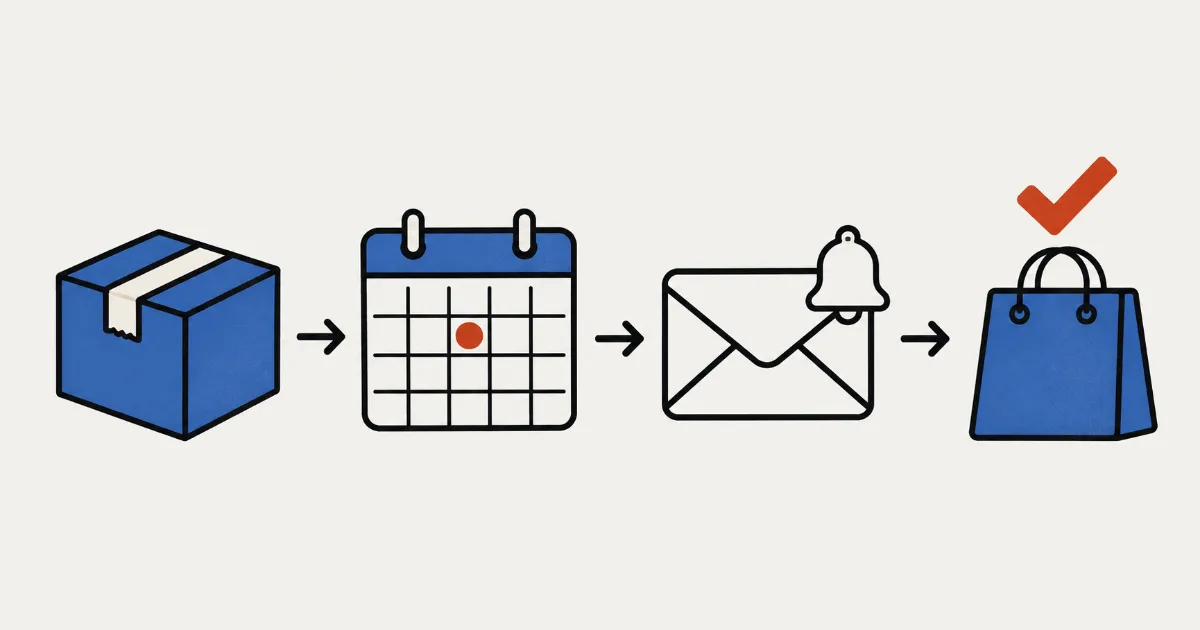
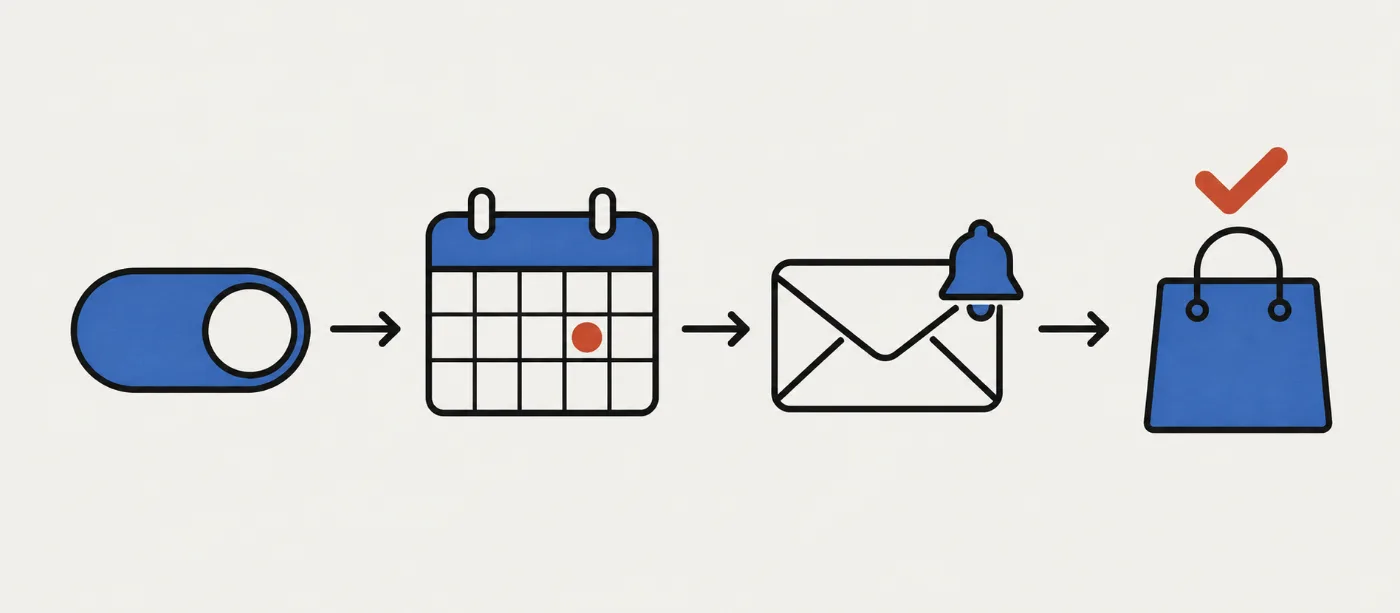
First, the pricing question: SellRules has no free trial for Standard or Pro; the Free plan is how you try it. Free includes pre-orders, made to order, back-in-stock alerts and sold-out switches, but its allowances are totals since installation, not monthly limits. Rather than try every feature in turn, choose 1 task you currently do by hand and use 1 test product to go through setup → product page → notification → order. That gives you a quicker way to decide whether to keep using it.
Below, you will find what you can and cannot test on Free, what to prepare, how to test with 1 product, what to check if something does not work, and when to upgrade or uninstall.
What you can test on the Free plan
Free lets you try the product-page button changes for pre-orders, made to order and back-in-stock alerts, along with tracking accepted orders through to shipping. Deposit and balance payments and email customization require a paid plan, so you cannot test them on Free.
| Feature | On the Free plan | What to check |
|---|---|---|
| Accepting pre-orders and made-to-order orders | Available, up to 10 pre-order and made-to-order orders in total since installation | Does the button change to “Pre-order Now”, and does the order appear in “Order progress”? |
| Restock, pre-order launch and sale-start notifications (back-in-stock signups) | Available, up to 15 notification emails in total; order confirmations and shipping confirmations do not count | Can you sign up on the product page, and does the address appear under “Back-in-stock subscribers”? |
| Sold-out switches | Available | When inventory reaches 0, does the button change to pre-order, made to order or back-in-stock signup? |
| Purchase limits | Available for up to 1 product | Does checkout block you when the cart quantity exceeds the limit? |
| Deposit and balance payments (including charging the full amount on a due date with no deposit) | Not available; Pro only | Cannot be tested on Free |
| Email template editing, delivery logs and SMS | Not available; Standard and above | On Free, check the emails in your own inbox |
Notification emails on Free use preset wording. If you want to adapt the text to your store or see a list of which emails were sent, those features start with Standard.
Choose 1 manual task you want to cut down on
Start with the work you currently do yourself, rather than a feature name. Pick something you expect to have to do again for your next sale, and the test will tell you whether the app is worth keeping.
| What you do by hand | Feature to try | Example test product (for illustration) |
|---|---|---|
| Wait for launch time, then change the product page or inventory settings | Pre-order schedule (announcement → pre-order → regular sale) | A new mug launching next month |
| Reply individually to “When will it be back?” whenever something sells out | Sold-out switches and back-in-stock signups | A staple tote bag |
| Open and close the order window for products you make after receiving an order | Made-to-order schedules and “Order progress” | A personalized leather keyring |
| Deal with one customer buying too many of a limited item | Purchase limits (maximum per order and per customer) | A limited-run lucky bag |
If you cannot choose, a pre-order schedule lets you check product-page changes, notification signups and incoming orders in the same test. If you are still deciding what to do with a sold-out product, start with how to choose between pre-orders and back-in-stock alerts.
What to prepare before testing
There are 3 things to prepare. Without them, you could follow every step and still see no change on the product page, leaving you unsure whether the problem is the app or the setup.
- Prepare 1 published test product. A draft product cannot be opened on the storefront, so publish it first. Put “Test” in its name, keep it off your homepage and out of collections, and open it directly through its product-page URL. Testing on a live product could let customers place orders while you are checking it. To test through checkout without a payment, create a discount code that takes the full product price off and applies only to the test product. If your settings charge shipping, also use a free-shipping discount or pickup in store.
- Check that your theme supports app embeds. SellRules displays its content on product pages through an app embed, so there is no theme code to edit. You do need a theme that supports app embeds (Online Store 2.0).
- Track inventory for the product if you want to test sold-out switches. The switch does not work on products whose inventory is not tracked.
There is 1 more thing to know about the Free allowance: orders containing pre-order or made-to-order products count toward the total since installation, including test orders, and reinstalling the app does not reset it. You only need 1 order to check the flow.
How to test SellRules with 1 product
This test uses a pre-order schedule because it takes you through the most features in one go. Set pre-orders to start in 10 minutes and regular sales in 1 hour. Watching it return to regular sales therefore takes about 1 hour. The steps follow the quickstart in the SellRules user guide, with extra time to watch the return to regular sales.
- Turn on the SellRules app embed in your theme. In your Shopify admin, open “Online Store → Themes → Edit theme”. Select App embeds on the left, turn on SellRules and save. If it stays off, entering dates will not change the product-page button.
- Create a pre-order schedule for your test product. In the SellRules left menu, open “Schedules”, select the “Pre-order” tab, then choose “Create new” and select your test product. Use “Add announcement period” to set the announcement start to now and the pre-order start to 10 minutes from now. Under “When the pre-order ends”, choose “Switch to regular sales” and set regular sales to start in 1 hour. Without an announcement period, neither the signup field nor the pre-order launch notification appears. For how to arrange the announcement, pre-orders and regular sales, see scheduling a launch without waiting at your screen. Times are saved in the store time zone set in Shopify. Text such as “Mid-next month” in “Estimated shipping (text)” appears as entered under the button.
- Sign up for a notification on the product page. Open the product page on the actual storefront, not in the theme editor preview. Once the announcement phase has begun, the button reads “Get Notified”. Sign up with your own email address and check that it appears under “Back-in-stock subscribers” in SellRules.
- Place 1 test order after pre-orders open. At the start time, the button changes to “Pre-order Now”, and a pre-order launch email goes to the address you used in step 3. This also counts as 1 email toward the Free plan's lifetime notification allowance. If the switch is delayed, the process that runs about every 5 minutes applies it, and it can take roughly another 1 minute to appear on the product page. Once it changes, place just 1 order. Check that it appears in “Order progress” as “Not started” and that the pre-order confirmation email arrives.
- Decide whether to keep using the app. After the regular-sale start time, check that the button returns to your theme's usual buy button, such as “Add to cart”. Cancel the test order and release any remaining fulfillment hold from the Shopify order page. Set the test product back to draft so customers cannot see it. Then use the guidance in the next section to decide whether to stay, upgrade or stop.
To test a sold-out switch, use a different test product or delete its pre-order schedule first: the switch will not work on a product with a pre-order schedule. Create a rule in SellRules under “Purchase limits & sold-out” → “Sold-out switches”, then set the test product's inventory to 0 in Shopify and save. Inventory is checked about every 5 minutes, so wait a little before opening the product page. Once the button changes to pre-order or back-in-stock signup, restore the previous inventory quantity. With a “Back-in-stock notification only” rule, this sends subscribers a restock email, using 1 notification email per subscriber from the total allowance. When stock returns, SellRules removes the automatic schedule it created and the product returns to regular sales.
You do not need to place an order to test purchase limits. Add more than the allowed quantity to the cart and proceed to checkout. If an error stops you from going further, the limit is working. Limits are checked at checkout, not on the product page. For choosing a limit, see how to set a one-item-per-customer limit in Shopify.
Things to watch during your test
If you set a pre-order quantity limit, it can take a few minutes after the limit is reached for orders to stop. The app checks the count every few minutes, so orders placed during that gap or at the same time can take you slightly over the limit. For live sales, choose a limit that leaves room to ship a few extra units.
If you start a sold-out product on “Back-in-stock notification only”, then change it to “Pre-order” and save, the product page changes to the pre-order button straight away. But subscribers do not automatically receive a pre-order launch email, and they will not receive a restock email when stock returns either. If you test this change, also check how you will export a CSV from “Back-in-stock subscribers” and contact those customers through your store's email or another channel.
What to check when something does not work
Start with what you can see on screen to narrow down the cause. Most problems come down to setup, waiting time, the page you are viewing, or a Free plan allowance.
| What you see | Possible cause | Where to check | What to do |
|---|---|---|---|
| The start time has passed but the button has not changed | The app embed is off, or the switch is waiting to run | App embeds in the theme customizer, and the status in the schedule list | Enable the embed and save. Wait a few minutes after the start time, then reload |
| Nothing changes in the theme editor | You are looking at the theme editor preview | The product page on your actual storefront | Open the product page directly. Check that the theme with SellRules enabled is your published theme |
| Inventory is 0 but the sold-out switch does not work | Inventory is not tracked, the check is still pending (it runs about every 5 minutes), or the whole product has a manual pre-order or made-to-order setup | Inventory on the Shopify product page, and the SellRules sales schedule list | Turn on inventory tracking. Wait a few minutes. If the product has a manual setup, use another test product |
| Purchase limits do not work at checkout | SellRules purchase limits are disabled in checkout rules | Shopify “Settings → Checkout → Checkout rules” | Enable “Purchase limits (SellRules)” |
| You signed up but no notification email arrives | It went to spam, or it is held because you reached the Free plan's lifetime email limit | Your spam folder, the allowance notification banner at the top of SellRules, and current usage in “Plans & billing” | Check spam. If the email is held, moving to Standard or Pro lets it send after the app rechecks inventory and sales status |
| Pre-orders and made-to-order orders have stopped | Those orders reached the Free plan's lifetime limit | The running total under current usage in “Plans & billing”, and the limit notification email sent to your store | Move to Standard or Pro to reopen orders; your settings are kept |
For a closer look, follow what to check when the pre-order button is missing or how to troubleshoot missing back-in-stock emails. If you still cannot find the cause, contact SellRules support with the product you tested, the screen where you got stuck and what happened.
When to stay on Free or move to a paid plan
Base your decision on how your work would change, rather than how many features the app has. If you would use the same setup for your next sale and expect to spend less time waiting for launches or replying to individual questions, there is a reason to keep it. If you have few suitable products and handling them manually is no trouble, you do not need a paid plan.
| Your store's situation | Plan that fits |
|---|---|
| You have few pre-order or made-to-order orders, and Free's lifetime allowances are enough | Stay on Free |
| Orders or notification emails are approaching the lifetime limit, you want purchase limits on a second product, or you want to edit email wording | Standard (US$9.90 per month) |
| You want to collect part of the payment at pre-order and charge the rest on a due date, including charging the full amount on that date with no deposit | Pro (US$19.90 per month) |
SellRules plans and pricing
| Monthly price | LaunchEvery feature included |
|---|---|
| Monthly price | US$7.99 per month |
| Free trial | 10 days |
| Pre-order and made-to-order orders | Unlimited |
| Back-in-stock and sale-start emails (Notify Me) | Unlimited |
| Purchase limits | No limit on products |
| Customizable notification emails | Yes |
| Deposit payments | Yes |
Pre-orders, made-to-order, back-in-stock alerts, purchase limits, stockout switching, deposit payments and order processing are all included in the Launch plan.
The first 10 days are free. If you remove the app during the trial, you are not charged.
Back-in-stock and sale-start emails have no sending cap. The same goes for required messages such as order confirmations, shipping updates and balance reminders.
The Free, Standard, and Pro plans are closed to new sign-ups. Shops already on them keep their current terms.
Before opening pre-orders to customers, use how to start taking pre-orders on Shopify to work through shipping estimates, cancellation terms and the other decisions to make before accepting orders.
How to uninstall SellRules after testing
If the app does not suit your store, uninstall SellRules from “Settings → Apps” in Shopify. Before you do, work through these steps so you do not leave settings behind.
- Delete the sales schedules you created. While pre-orders or made-to-order orders are open, the product is set to accept orders even with 0 inventory through Shopify's “Continue selling when out of stock”. Deleting the schedule restores this setting where SellRules turned it on. SellRules cannot restore it after you uninstall.
- Export any data you want to keep. You can export back-in-stock subscribers as a CSV from “Back-in-stock subscribers”.
- Uninstall the app. SellRules data, including selling settings, back-in-stock subscribers and order progress, is deleted 48 hours after uninstalling. Reinstall within 48 hours and it is restored.
- Clear up anything left in Shopify. Order tags and fulfillment holds stay on orders after uninstalling. Use “Release hold” on the Shopify order page to remove any hold on the test order, and cancel the test order itself.
If you uninstall after moving to a paid plan, Shopify's help center explains that uninstalling stops future recurring charges, but you may still be charged for the current billing cycle. If you are moving to another pre-order app, also read the checklist for switching pre-order apps.
Frequently asked questions
Does SellRules offer a free trial of its paid plans?
No. Standard and Pro have no free trial; the Free plan is how you try the app. Free includes pre-orders, made to order, back-in-stock alerts and sold-out switches. Deposit and balance payments are only available on Pro, so you cannot test them on Free.
Do test orders count toward the Free plan's order limit?
Yes. Any order containing a pre-order or made-to-order product, including a test order, counts toward the total allowance of 10 orders since installation. Uninstalling and reinstalling the app does not reset the count. Placing 1 order is enough to check how it works.
Will I lose my settings if I reach the Free plan's limit?
No. Once you reach the lifetime limit for pre-order and made-to-order orders, the app stops accepting those orders and you cannot save new pre-order or made-to-order setups. Your existing settings and the processing of orders already received stay in place. Moving to Standard or Pro reopens orders. Notification emails over the email limit are held instead of sent; after you upgrade, they are sent once the app has rechecked inventory and sales status.
How do I remove SellRules after testing it?
First delete the sales schedules you created in SellRules and export back-in-stock subscribers as a CSV if you want to keep them. Then uninstall from Settings → Apps in your Shopify admin. SellRules data is deleted 48 hours after uninstalling. Shopify-side settings such as fulfillment holds and order tags remain, so remove anything you no longer need in your Shopify admin.
Can I test SellRules on a product I already sell?
Start with a test product if you can. Creating a pre-order schedule lets that product accept orders with 0 inventory during the pre-order period and changes its product-page button. If you test on a live product, choose a quiet time and delete the schedule afterwards to return it to normal sales.
Try 1 test product before your next sale
You can try pre-orders, made to order, back-in-stock alerts and sold-out switches on the SellRules Free plan. Prepare 1 test product and follow the steps above, from the product-page changes through to placing 1 test order.
See SellRules features and pricing
If you already have the app, open the user guide alongside your test product. If not, install it on the Free plan from the Shopify App Store.
Features checked on October 25, 2026: JizaiDev, the developer of SellRules, checked the code of the live app and the wording shown in its settings and on product pages as of that date. Uninstalling and billing information is based on Shopify's help center, checked on October 25, 2026. Product examples are fictional illustrations. For current pricing, check the Shopify App Store listing.
Related articles: Planning early-access and limited sales · How to choose a pre-order app