Shopify pre-order apps with deposits are almost identical up to the point where the deposit is taken. They all run on the same mechanism: Shopify's pre-order purchase option. Where they differ is what comes after: when the balance is charged, whether it's collected automatically, who hears what when a charge fails, and whether shipping can be held until the balance is paid.
Here's the conclusion up front, by store need:
- You want to charge the balance when you ship: STOQ or Downpay
- You want customers to reserve a slot with no deposit: Timesact, STOQ, Essent or Downpay
- Only a few orders a month, manual balance collection is fine, and you want to keep costs down: Essent's free plan
- You want the balance collected automatically on its due date, both the customer and your store told when it fails, and shipping held until it's paid: SellRules or PreProduct
- You don't need a deposit at all: there's no need to compare deposit features. Use How to choose a pre-order app to pick by intake type and notifications
- You want to take deposits through cash on delivery, bank transfer or convenience store payment: no app can do this (the reason is explained below)
This article is published on the blog of JizaiDev, the developer of SellRules. Of the six apps compared, the five other than SellRules (Timesact, STOQ, Essent Preorder Back in Stock, Downpay and PreProduct) are not described from hands-on use. Everything about them comes from their Shopify App Store listings and official help pages, checked on October 18, 2026. When a feature couldn't be found in the help pages, we say "couldn't confirm" rather than "not available". SellRules was checked against the app's settings screens and the production code (checked October 19, 2026).
Deposit amount and balance due date: which apps allow no deposit or charging at fulfillment?
Setting the deposit as a percentage or a fixed amount barely separates the apps, since most let you choose either. Two things actually set them apart: whether you can take pre-orders with no deposit, and whether the balance can fall due "at fulfillment".
| App | How the deposit is set | No-deposit pre-orders | Balance due date |
|---|---|---|---|
| Timesact | Percentage or fixed amount | Yes | A set date, or a number of days after the order |
| STOQ | Percentage or fixed amount | Yes (no upfront payment) | A set date, or a number of days after the order. For automatic charging, choose due date or fulfillment |
| Essent | Percentage or fixed amount | Yes | A set date |
| Downpay | Percentage, or fixed amount (calculated per item) | Yes | A set date, a number of days after the order, or at fulfillment |
| PreProduct | Couldn't confirm in the help pages | Listing mentions "charge later" | The store runs the charge, or automates it |
| SellRules | Percentage (0.01–99.99%) or fixed amount (per item, less than the product price) | No | A set date, or 1–365 days after the order |
Sources: each app's help pages (Timesact, STOQ, Essent, Downpay, PreProduct) and listing pages, checked October 18, 2026. SellRules checked against the app's settings screens and code.
If you want to charge the balance once you ship, look at STOQ or Downpay. Downpay's help notes, however, that stores on older Downpay pricing plans can't use a fulfillment due date, and that the type of due date can't be changed later. Timesact lists "Charge on fulfillment" on a higher plan in its pricing table, yet its help explains that "fulfillment does not trigger a payment". If you want to collect on the day you ship, it advises placing the due date after the planned shipping date and collecting manually on that day. If tying the charge to fulfillment is non-negotiable, confirm the actual behavior during a trial before you decide.
If you want customers to reserve with no deposit, SellRules is out. A SellRules deposit is always greater than zero and less than the product price. If you'd rather take reservations without receiving any money, an app that supports no-deposit pre-orders, or pre-orders paid in full, will do.
If you haven't yet decided what share to take as a deposit and when the balance is due, settle those numbers first in How to set the deposit percentage and balance due date. That narrows down which columns of this table you need to look at.
When a balance charge fails, what does the app do?
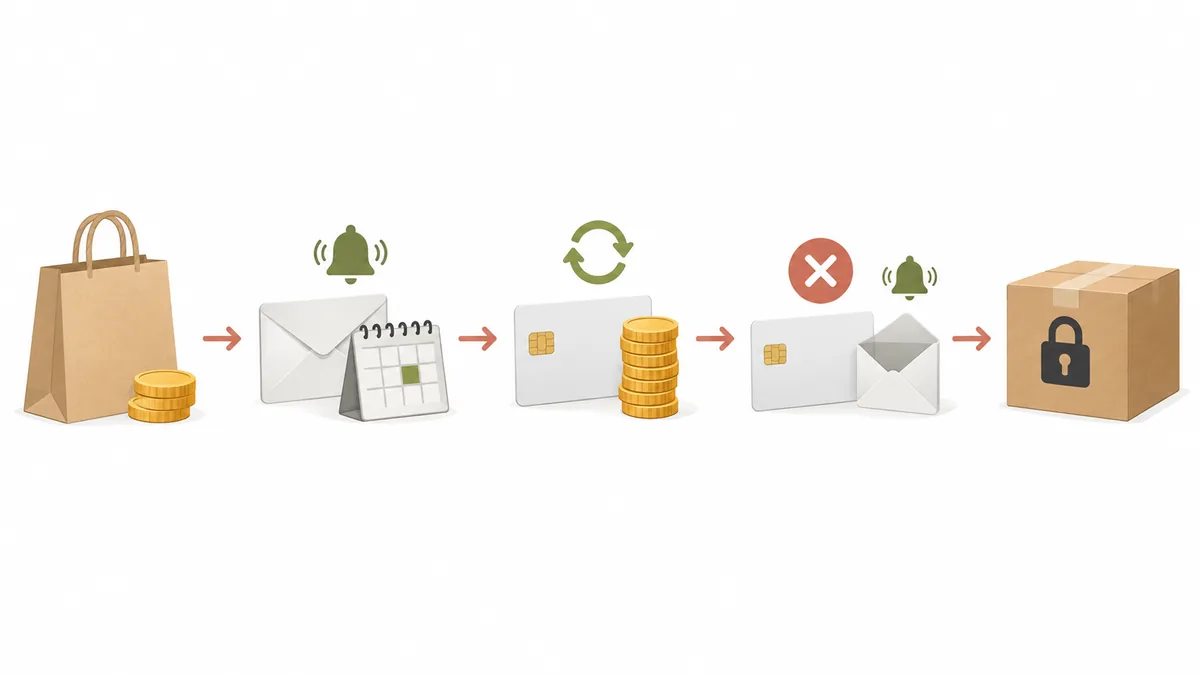
Collecting the balance is where deposits cost you the most time and lost money. None of the six apps says it automatically retries the charge at set intervals. What differs is whether the customer gets a payment request after a failure, whether your store is told, and whether there's a safeguard against shipping an unpaid order by mistake.
| App | Collection on the due date | Automatic retry after a failure | Who is told when it fails | Shipping until the balance is paid |
|---|---|---|---|---|
| Timesact | Charges the saved card automatically (with Shopify Payments) | No | No automatic message to the customer. The store retries collection or sends an invoice | Couldn't confirm in the help pages (the CORE Flex listing mentions "Hold order"; not confirmed whether it stops unpaid orders) |
| STOQ | Automatic on paid plans (manual collection on the free plan) | No (the automatic charge runs once) | Automatically emails the customer a payment page link (when Shopify returns one). The store gets an email too | Couldn't confirm in the help pages |
| Essent | No automatic charge; the store collects (bulk collection from Lite up) | Couldn't confirm in the help pages | When collecting in bulk, you can choose to send a Shopify invoice to customers whose payment failed | Help says Shopify doesn't stop fulfillment based on payment status, so the store has to manage it |
| Downpay | Choose between Shopify Flow automation, manual, bulk or invoice | Couldn't confirm in the help pages | Can send a reminder email with a "Pay Now" button from the due date on. Customers can update their card in the portal | Couldn't confirm in the help pages |
| PreProduct | The store runs the charge, or automates it | Once, in the automated flow | Emails the customer with the reason for the failure. When sending these emails manually, you can choose to charge again or cancel orders still unpaid after ten days | A fulfillment hold applies while payment is pending |
| SellRules | Charges the saved payment method automatically, with a reminder email three days before the due date | No | Payment email to the customer (with a "Pay balance" button when a payment link could be created), plus a notice to the store. Orders with no saved payment method also get an email with a payment link to the customer and a notice to the store | A fulfillment hold applies and is lifted automatically once paid |
Sources: help pages of Timesact, STOQ, Essent, Downpay and PreProduct, plus PreProduct's deposits page (fulfillment hold), checked October 18, 2026. SellRules checked against the code.
Expired cards and insufficient funds happen with every app. In the end, the store contacts the customer and asks them to pay again, so the thing to compare is who takes that first step. STOQ, PreProduct and SellRules email the customer as soon as the failure is detected. Timesact's help says a failure sends the customer no automatic message and nothing else happens, so you should keep an eye on pre-orders around the due date. If you choose Timesact, plan to check orders on each due date.
Whether there's a safeguard against shipping unpaid orders also splits the apps. As Essent's help points out, Shopify doesn't stop fulfillment based on payment status. SellRules places a fulfillment hold until the balance is paid, and PreProduct also holds orders awaiting payment. The more you hand shipping off to staff or a warehouse, the less you can afford to overlook this column.
What your store does after a failed collection in SellRules (contacting the customer, "Retry collection", and how long to wait before cancelling) is laid out step by step in What to do when a pre-order balance isn't paid.
Will it work with your payment methods? The limits are the same for every app
Before comparing apps, check your store's payment methods in Shopify under Settings > Payments. The main limits on deposits come from Shopify, and switching apps won't change them.
Shopify's Help Center says pre-order products can't be bought through accelerated checkouts such as Shop Pay, Apple Pay and Google Pay, or through local payment methods such as Klarna. The only sales channels that can sell pre-order products are the online store and custom storefronts, and stores with a customized checkout can't use them. On top of that, deposits work by saving the customer's payment method at purchase and charging the balance later, so they only work with payment methods that can be saved.
| App | Payments for deposits, per its help pages | Japanese in the listing's languages |
|---|---|---|
| Timesact | Shopify Payments or PayPal Express (automatic balance collection is effectively Shopify Payments only) | Yes |
| STOQ | Shopify Payments required | Yes |
| Essent | Shopify Payments required | Yes |
| Downpay | Shopify Payments, Stripe, Authorize.net (some setups), PayPal Express (approval needed), Adyen (Shopify Plus only) | No (English only) |
| PreProduct | Cards saved through Shopify, PayPal, Stripe or Authorize.net | No (English only) |
| SellRules | Shopify Payments, PayPal Express, Adyen, Stripe (some stores only), and others | Yes |
Sources: each app's help pages (for Downpay, its supported gateways page) and the language field of each listing, checked October 18, 2026.
Take care if many of your customers pay by cash on delivery, bank transfer or convenience store payment. None of these can save a payment method, so whichever app you choose, those customers can't buy deposit products. How to check, and what to do instead when they aren't supported, is explained in Payments that do and don't work with deposits.
Compare pricing by "which plan includes deposits" and "how the price is set"
Don't just look at the lowest monthly fee. Check which plan deposits start on, and whether the price is flat, based on order count, or a share of sales. All listed prices are in US dollars.
| App | Plans with deposits (monthly, USD) | How the price is set | What you can try for free |
|---|---|---|---|
| Timesact | CORE Flex from 5 (0.2 per order beyond the included count); CORE Fixed with unlimited orders from 23 | Included orders plus usage, or flat | Free plan covers 20 orders a month. Deposits start on CORE Flex |
| STOQ | Automatic collection on paid plans (Lite 10 with 100 a month, up to Unlimited 69) | Included orders plus usage | Free plan covers 10 a month with manual collection. Paid plans have a 14-day free trial |
| Essent | Listing mentions partial payments from the free plan (paid plans from Lite 4.95 to Professional 59) | Included orders plus usage | Free plan covers 25 a month. Paid plans have a 14-day free trial |
| Downpay | Essentials 29 (up to 5,000 in total value of deposit orders) to Scale 249 | Tiers by total value of orders taken with a deposit | No free plan. 7-day free trial |
| PreProduct | Starter free (5% of revenue from paid pre-orders), Scale from 59.99 | Share of revenue, or flat | Starter is free with a fee based on revenue. Paid plans have a 7-day free trial |
| SellRules | Pro US$19.90 | Flat (no cap on pre-order and made-to-order orders; notification emails such as back-in-stock up to 5,000 a month, with extra sends beyond that within the budget you approve) | The Free plan covers up to 10 pre-order and made-to-order orders in total (no deposits). Pro has no free trial |
Source: each app's Shopify App Store listing (pricing section, checked October 18, 2026). STOQ's plan requirement for automatic collection is from its help pages.
For example, take a store that sells ten pieces of furniture a month on deposit, at ¥80k each. (This is a hypothetical estimate, converted at $1 = ¥150 and assuming every pre-order is paid in full.)
- Total value of orders taken with a deposit: eight hundred thousand yen a month, about $5,333
- Downpay: the total exceeds $5,000, so Standard ($49)
- PreProduct: on Starter, 5% of revenue comes to about forty thousand yen. On Scale ($59.99), 0.5% applies to the roughly $333 above $5,000, for about $62
- SellRules: Pro is US$19.90 regardless of order count or revenue
- Timesact (CORE Flex, $5) and STOQ (Lite, $10) both stay within their included order counts. If manual collection is fine, Essent's free plan (up to 25 a month) is also enough
The higher your prices, the wider the gap with pricing based on revenue or total value. For a store with few orders and low prices, the opposite holds: the order-based pricing of Timesact, STOQ or Essent comes out cheaper. Prices change often, so check the latest amounts on each app's listing before you sign up.
Quick table: shortlist apps by your store's needs
Here the tables above are regrouped by the need you can't compromise on. Pick the row your store is least willing to give up, and start trying the apps listed there.
| Must-have | Candidates | SellRules |
|---|---|---|
| Charge the balance when you ship | STOQ, Downpay | Not a fit |
| Take pre-orders first with no deposit | Timesact, STOQ, Essent, Downpay (PreProduct needs checking) | Not a fit |
| Let customers split the balance into further installments | PreProduct (Shopify Plus stores) | Not a fit |
| A few orders a month, and you want to try deposits for free first | Essent (free plan), PreProduct (Starter) | Not a fit, since Pro has no free trial |
| Manual collection is fine and you want the lowest cost | Essent | Not a fit on cost |
| Use the admin in Japanese | Timesact, STOQ, Essent, SellRules | A fit |
| High prices, and you don't want to pay a share of revenue | Timesact (CORE Fixed), STOQ (Unlimited), Essent (Professional), SellRules | A fit |
| Hand off automatic collection on the due date, failure notices and holding unpaid orders | PreProduct (check the conditions for automatic charging), SellRules | A fit |
SellRules suits stores that take deposits on made-to-order products or longer pre-orders and want to hand off both collecting the balance and keeping unpaid orders from shipping. Deposit and balance payments are a Pro plan feature, set up on the pre-order and made-to-order edit screens and on the out-of-stock switching screen. How it works and how to set it up are explained in the article on deposit and balance payments. If charging at fulfillment, no-deposit pre-orders or splitting the balance is a must, one of the other candidates will suit you better.
If you'd rather think from how you sell overall, How to set rules for advance and limited sales is the place to start.
Once you're down to two, test the same product all the way to a failed charge
Where the charge result shows up, and who gets which email, can't be settled just by comparing tables. Once you're down to about two candidates, the reliable way is to test the balance charge, and its failure, with the same product, the same deposit and the same due date.
- Prepare one test product: use a product customers can't see, or one not yet open for orders
- Set the same conditions in both apps: for example, "30% deposit, balance due seven days after the order"
- Place a test order: buy with Shopify Payments in test mode or similar, and see how the deposit and balance due date appear on the product page and at checkout
- Trigger the balance charge: set the due date close or collect manually, then check where the result appears on the order and which emails the customer and your store receive
- Trigger a failure: buy with a test card that gets declined, and check whether the customer gets a payment request and your store gets a notice when it fails, and whether the order is still ready to ship
Steps 4 and 5 take effort, but these are the moments that cause trouble first in real use. If you also look at the language and wording of the emails customers receive, you'll know whether you need to add your own guidance. How deposits look to customers in SellRules is covered in Deposits from the customer's side.
If you're moving open pre-orders from another app, first decide which app collects the balance on orders whose deposit has already been paid. Letting your current app finish collecting on open orders, and taking new pre-orders with the next app, keeps responsibility for collection from getting mixed up.
Frequently asked questions
Can I take pre-orders with a deposit using only Shopify's built-in features?
No. Shopify's Help Center says you need a pre-order app to display pre-order information. Once the deposit is paid, you can collect the balance manually or send an invoice from the order page in Shopify, but charging it automatically on a due date or sending a reminder beforehand are things an app does.
Which apps let me take pre-orders with no deposit and charge the full amount at fulfillment?
Of the apps compared here, Timesact, STOQ, Essent and Downpay document a no-deposit setting in their help pages. Charging the balance at fulfillment is documented by STOQ and Downpay. Timesact lists "Charge on fulfillment" in its pricing table, but its help says fulfillment does not trigger a payment. SellRules requires a deposit greater than zero and has no charge at fulfillment, so it drops out for this need.
If a balance charge fails, will the app retry it automatically?
None of the six apps compared here says it keeps retrying at set intervals. Timesact, STOQ and SellRules don't retry a failed charge automatically, and PreProduct says it retries once in its automated flow. We couldn't find anything about retries in the help pages of Downpay and Essent. The bigger difference is what happens next: STOQ, PreProduct and SellRules email the customer so they can pay, while Timesact sends the customer no automatic message.
Can a small store in Japan use deposits?
It depends on your payment methods. Deposits work by saving the customer's payment method at purchase and charging the balance later. With Shopify Payments, most apps will work, but with payment methods that can't be saved, such as cash on delivery, bank transfer or convenience store payment, customers can't buy deposit products whichever app you choose. As for the admin language, the listings of SellRules, Timesact, STOQ and Essent include Japanese, while Downpay and PreProduct are English only.
Can I try deposits before choosing a paid plan?
It varies by app. STOQ and Essent offer a fourteen-day free trial on paid plans, Downpay and PreProduct a seven-day one, and Essent also lists partial payments on its free plan. In SellRules, deposits are a Pro-only feature and Pro has no free trial. So test pre-order and made-to-order intake and display on the Free plan first, then switch to Pro once you decide to take deposits.
If you want balance collection handled for you, start with one product on SellRules Pro
Pre-order apps with deposits are much alike up to the point where the deposit is taken. What to compare is the balance due date, whether collection is automatic, who hears what when a charge fails, how unpaid orders are handled at shipping, and whether it all works with your store's payment methods.
SellRules plans and pricing
| Monthly price | FreeStart with one product | StandardRun it at full scale | ProAdd deposit and balance payments |
|---|---|---|---|
| Monthly price | Free | US$9.90 per month | US$19.90 per month |
| Pre-order and made-to-order orders | Up to 10 in total | Unlimited | Unlimited |
| Back-in-stock and sale-start emails (Notify Me) | Up to 15 in total (not refilled monthly) | 1,000 per month | 5,000 per month |
| Purchase limits | Up to 1 product | No limit on products | No limit on products |
| Customizable notification emails | No | Yes | Yes |
| Deposit and balance payments | No | No | Yes |
| Extra sends (email) | No | Yes (within the budget you approve) | Yes (within the budget you approve) |
Pre-orders, made-to-order, back-in-stock sign-ups, purchase limits, stockout switching and order processing are available from the Free plan.
Standard and Pro have no free trial; the Free plan takes its place.
The Free plan counts are totals since you installed the app. Required messages such as order confirmations, shipping and balance reminders are not counted.
The earlier Launch plan is closed to new sign-ups, but if you are on it your current terms stay as they are.
In SellRules, deposit and balance payments are a Pro plan feature: the balance is charged automatically on its due date, and fulfillment is held until it's paid. Pro has no free trial, so try pre-order and made-to-order intake and display on the Free plan first. Once you decide to take deposits, switch just one product to deposits on Pro and start with a test order.
About this comparison: the other five apps are described from what we checked on their Shopify App Store listings and official help pages on October 18, 2026. JizaiDev has not used these apps, and we haven't written "not supported" for any feature we couldn't confirm in their help pages. Check your must-have conditions with each app's help pages or support before installing. We also looked at Deposit & Partial Payment Depo on October 18, 2026, but its official help couldn't be opened at that time, so we couldn't confirm how it handles failed collection or which payments it supports, and left it out of the tables. The SellRules specifications were checked by its developer, JizaiDev, against the app's settings screens and the production code (checked October 19, 2026).