Click Post Shipping Prep for September 30–October 1: Payment Cutoff and Downtime
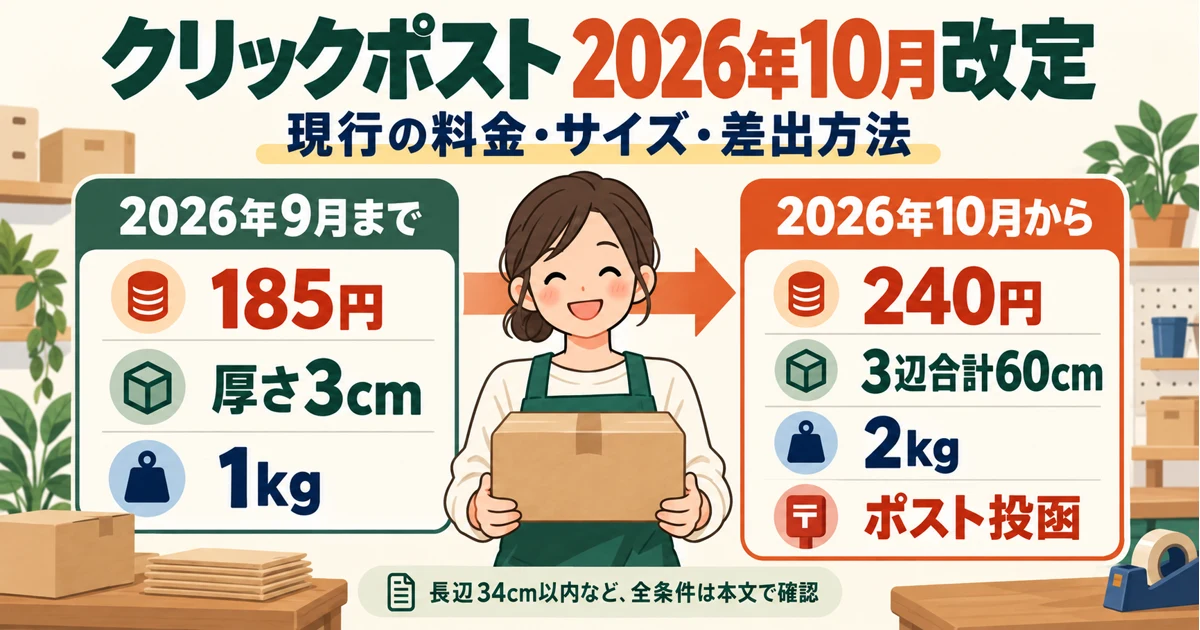
Note: This article covers the cutover work for September 30–October 1, 2026. The revised rates, sizes, and drop-off methods are summarized in October 2026 Click Post Changes.
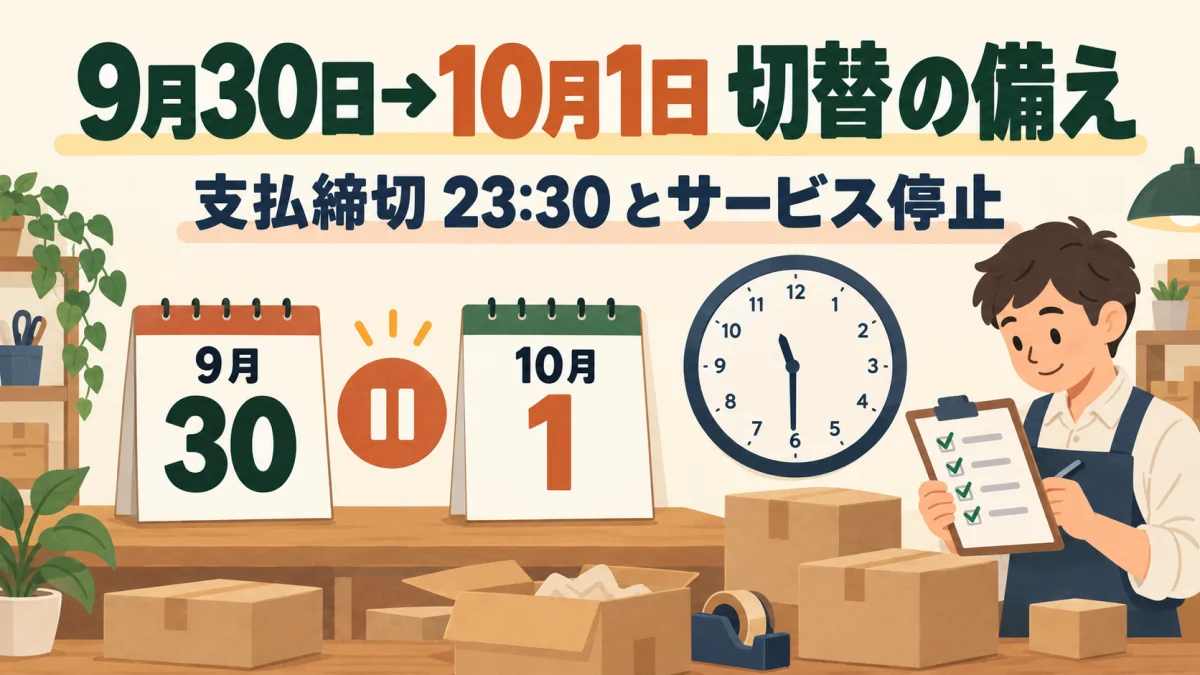
According to the September 16 announcement ("Regarding Rate Revision and System Maintenance") on the official Click Post website as of September 19, 2026, transactions where payment is completed by September 30 at 23:30 (scheduled) will be charged the legacy rate of 185 yen, and the service will be suspended from 23:30 that night until 6:00 on October 1 (scheduled). During this downtime, the website itself will be completely inaccessible, and Japan Post has noted that the exact resumption time may shift.
What determines your shipping rate is the exact timestamp when payment is completed—not the day the order was placed on Shopify, not the day the label was printed, and not the day the parcel was dropped in a postbox. In this guide, I break down what Shopify merchants using Click Post need to do before the shutdown, during the downtime, and after service resumes. For a comprehensive overview of the upcoming changes, see our guide on October Click Post Updates.
Check the Official Cutoffs and Downtime Schedule
Because these transitions happen overnight across dates in Japan Standard Time (JST), let's lay out the timeline clearly.
| Date & Time (All Estimated) | What Happens |
|---|---|
| By September 30, 23:30 | Transactions with completed payment procedures by this time are charged the legacy rate of 185 yen. If payment completes after this cutoff, the new 240 yen rate applies. |
| September 30, 23:30 – October 1, 6:00 | The entire website is shut down for system maintenance. Applications, payments, label printing, and history checks are all unavailable. |
| Around October 1, 6:00 | Service resumes (scheduled). The official notice states that resumption timing may vary. |
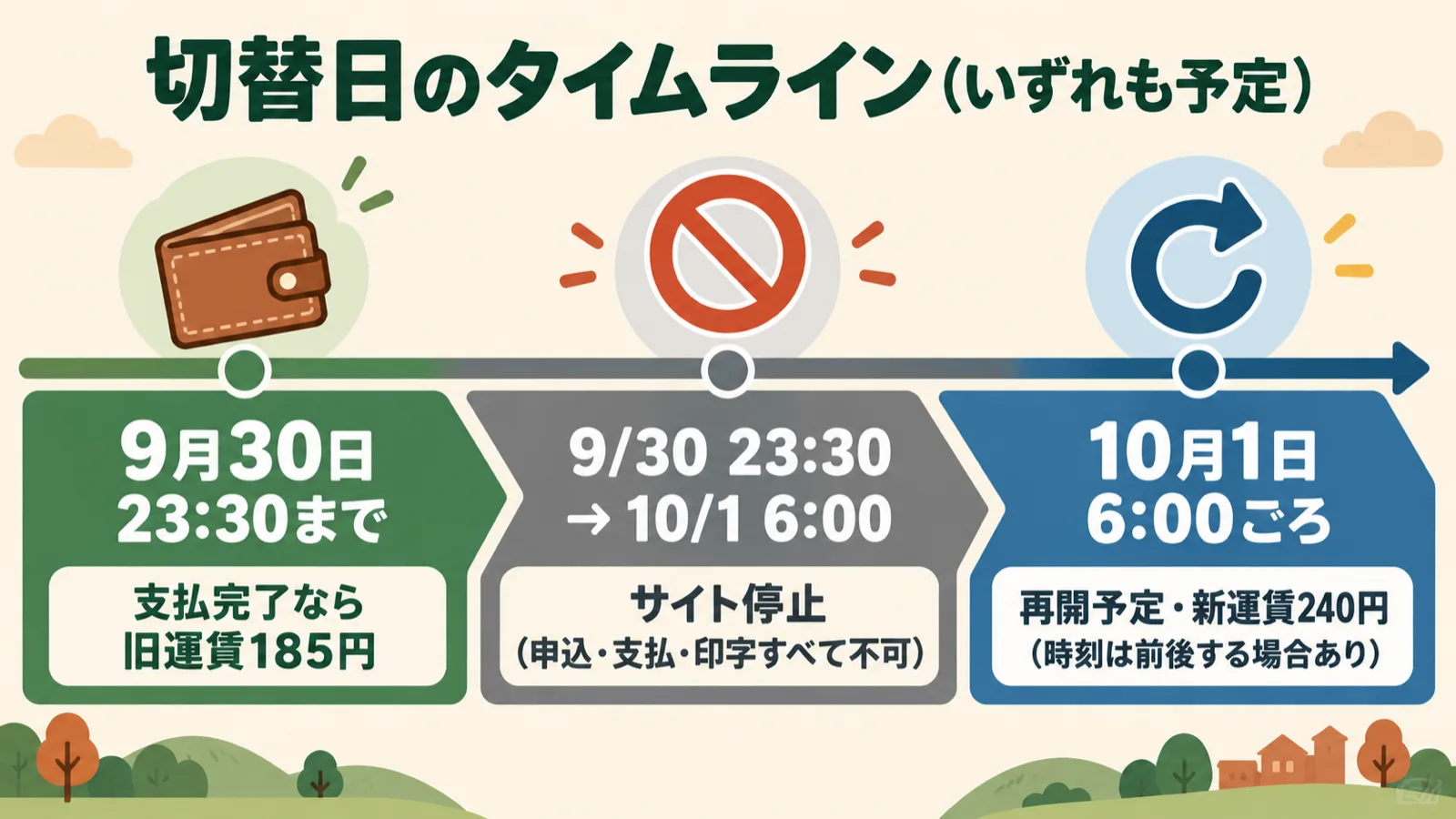
Keep two critical points in mind. First, the cutoff is 23:30, not midnight (0:00). It does not run through the very end of September 30—it closes 30 minutes earlier. Second, all of these times are announced as estimates. Be sure to reconfirm the exact cutoff and reopening times on the official website announcements on the day of your shipping operations.
Additionally, remember that the official deadline and your store's internal working cutoff should be treated separately. As a practical measure, establishing an earlier store-level cutoff—say, 21:00 or 22:00—gives you a comfortable buffer in case last-minute operations stall, reducing unnecessary stress on the day. You can set this internal target based on your store's daily fulfillment volume.
Sort Unprocessed Orders Before the Shutdown
By the evening of September 30, sort your pending orders by fulfillment status. Note that the "statuses" listed here are practical workflow categories, not official status labels from the Click Post interface.
| Order Status | Rate Applied | What to Do Before the Cutoff |
|---|---|---|
| Received in Shopify, but Click Post application/payment not yet completed | Rate at time of payment completion applies | If you want the legacy rate, complete payment before the cutoff. If you cannot finish in time, wait and process under the new rate after service resumes. |
| Payment completed and shipping label generated | Locked in at legacy rate (185 yen) | Check the dispatch expiration date printed on the label and plan your mailing schedule. |
| Label printed, but not yet mailed/dropped off | Same as above | Complete packing so parcels can be dropped in the postbox within the valid expiration window. |
| Already dropped off / mailed | Same as above | No further action needed. |
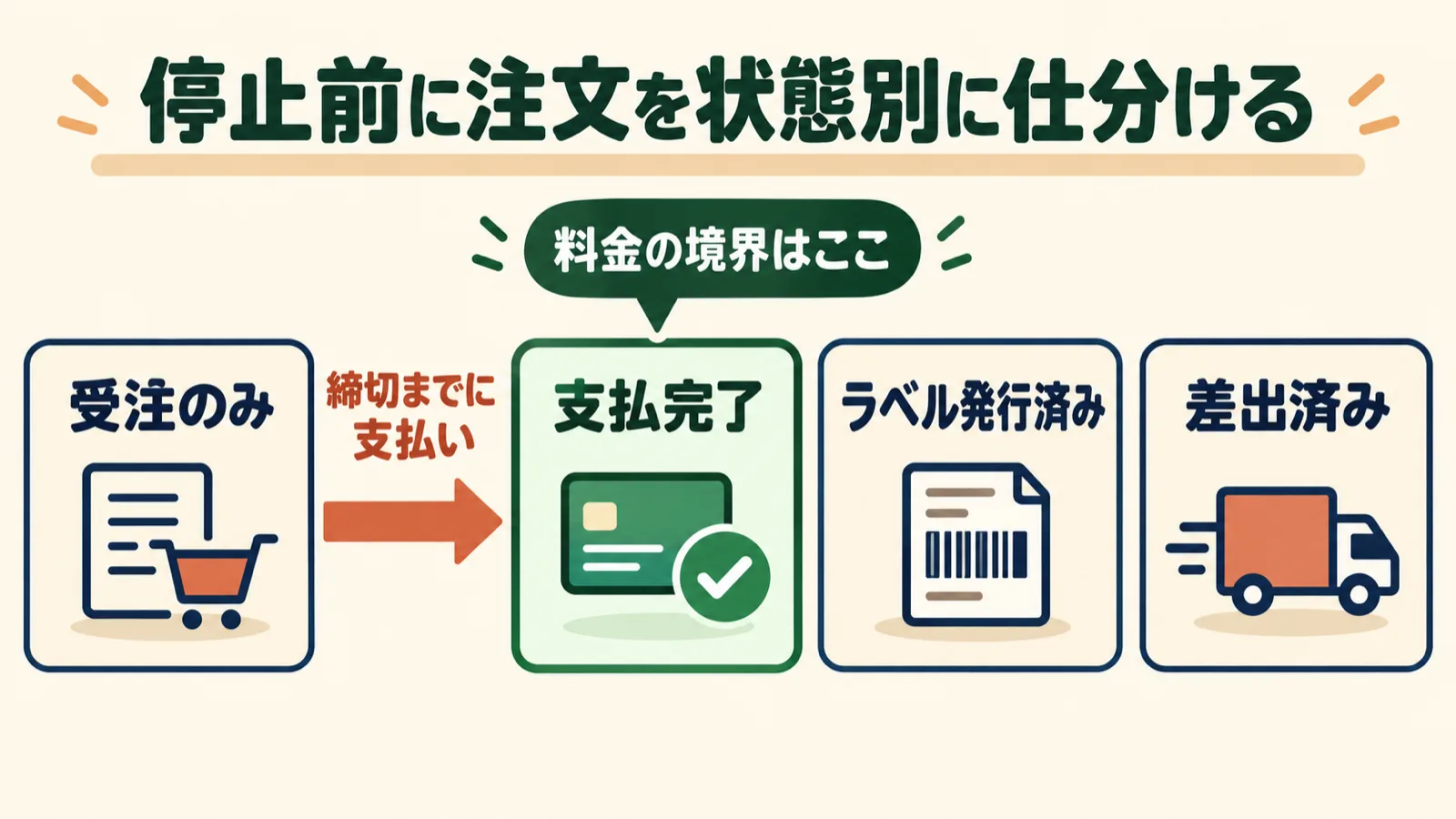
The key takeaway here is that completing the payment procedure is the sole dividing line between old and new rates. The order date or scheduled shipping date in Shopify plays no role. Conversely, for transactions where payment has been completed, the Terms of Service Revision Table clarifies that "even if rates change between payment completion and dispatch, the pre-change rate will apply." The terms also state that address labels display a dispatch expiration date, so make sure to check the date printed on your generated labels before mailing. Because the exact number of days in this validity period is detailed in member-only guidance that requires logging in, I could not verify the specific duration for this article. For that reason, I do not recommend stockpiling labels or generating large batches in advance without knowing the precise expiration window.
If you want to process payments in bulk, refer to our guide on Click Post bulk applications.
What to Work On and What to Put on Hold During Downtime
From September 30 at 23:30 to October 1 at 6:00 (scheduled), the Click Post website will be completely inaccessible. Breaking down responsibilities across Shopify, Japan Post, and your store helps clarify what can move forward and what must wait.
| Entity | What You Can Do During Downtime | What You Cannot Do During Downtime |
|---|---|---|
| Shopify | Review and accept incoming orders as usual | — (Shopify is not experiencing downtime) |
| Japan Post (Click Post) | — | All website operations, including applications, payments, label printing, and history checks |
| Store | Packing, picking, organizing dispatch lists, preparing updates to storefront shipping rates | Any operations on the Click Post platform |
During the maintenance window, you can focus on any work that does not touch Click Post. Packing items, organizing fulfillment queues, and listing orders scheduled for payment the next morning are all sensible operational steps. On the other hand, because it is Japan Post's website that is down, no external app or CSV integration can bypass this maintenance to finalize new applications, process payments, or print labels. Be wary of any claims suggesting third-party tools can circumvent the downtime.
Any orders whose payments were not completed beforehand will have to be processed at the new 240 yen rate once service resumes.
Check Payment History and New Terms Before Resuming Work
The 6:00 resumption is only an estimate and may shift earlier or later per official notices. If you plan to resume fulfillment first thing in the morning, do not rely strictly on the clock—verify the actual service status on the official website before starting.
Things to check after service resumes:
- Check the history of paid transactions. If you are unsure whether transactions submitted right before the cutoff went through, check their status in your history. Submitting a new application for an already completed order can generate an unintended duplicate tracking number.
- Confirm that the shipping rate reflects the new price. Payments made after resumption will be subject to the new 240 yen rate.
- Review the updated acceptance criteria. Starting October 1, Click Post shipments must adhere to the new standards: 3 dimensions totaling up to 60 cm, longest side up to 34 cm, must fit into a postbox slot, weight up to 2 kg, and mailing via postbox as standard practice.
- Read official announcements. Japan Post may post post-cutover updates or additional operational notes.
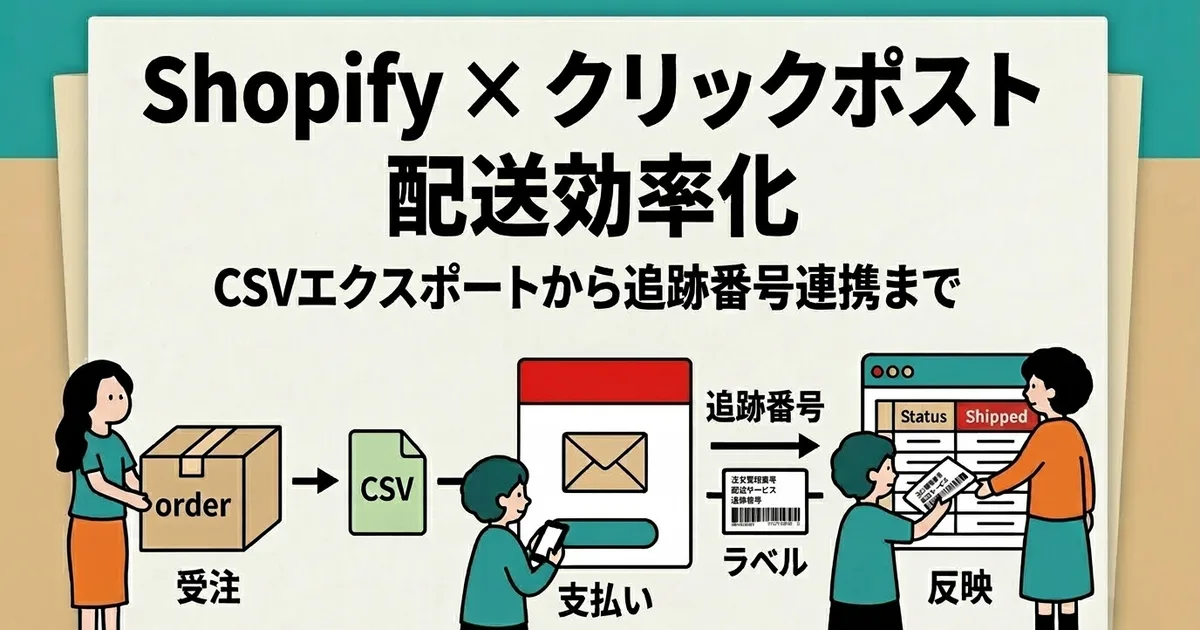
Please note that the information in this article is based on announcements available as of September 19, 2026, so I have not been able to verify the actual post-transition screens or system behavior firsthand. Follow the live instructions on the platform for specific UI labels and procedures once the system reopens. For troubleshooting issues with importing or printing label PDFs, see our PDF import checklist, and for an end-to-end fulfillment overview, consult our Shopify × Click Post Shipping Guide.
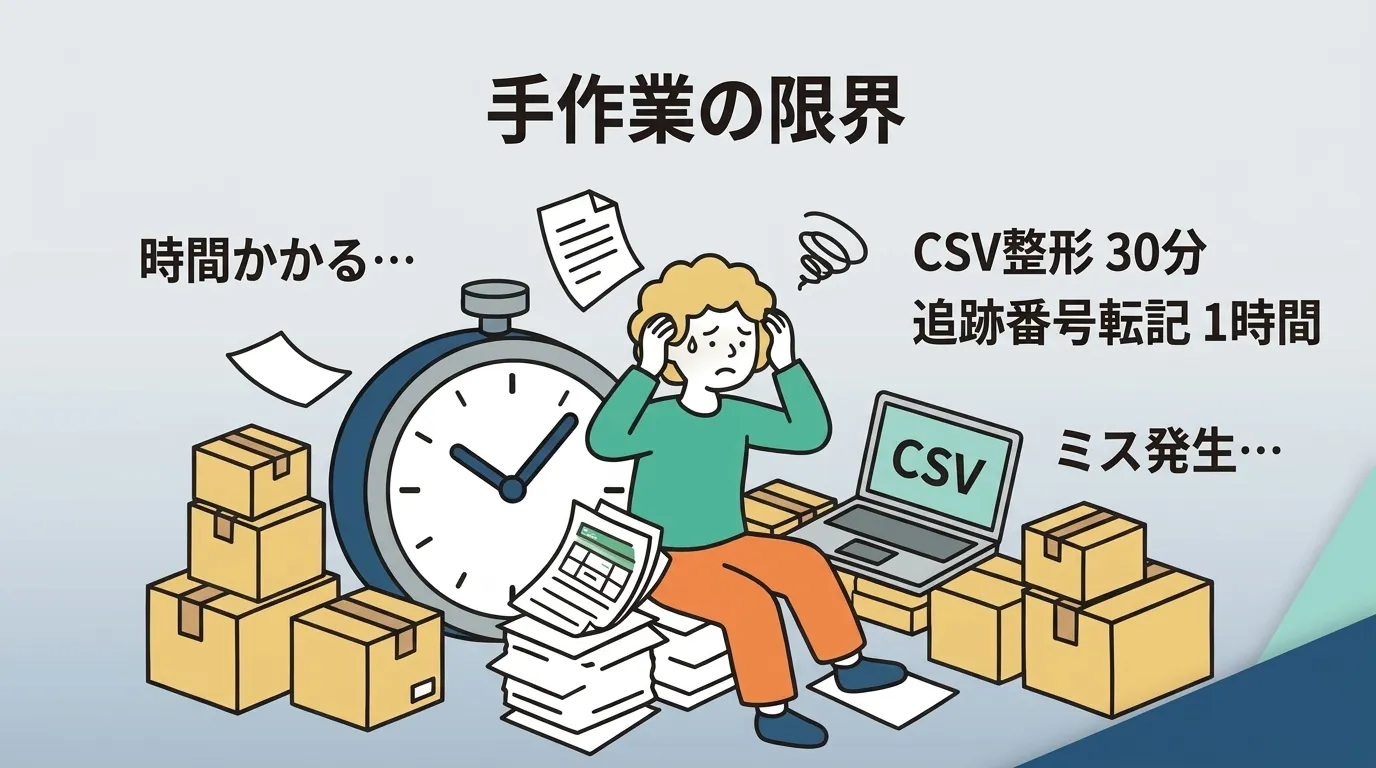
If you export CSVs in bulk from your Shopify orders and register the tracking numbers from the label PDFs back into Shopify, Instant Shipping! for Click Post can cut down the manual work.
Frequently Asked Questions
Q. Will orders received on Shopify on September 30 qualify for the old 185 yen rate?
The order placement timestamp does not decide the rate. What matters is the exact time payment is completed in Click Post. Transactions where payment is completed by September 30 at 23:30 (scheduled) will be charged the old rate of 185 yen, while anything completed after that cutoff will be charged the new rate of 240 yen.
Q. Does the label printing timestamp determine which rate applies?
The printing time itself does not determine the rate; the sole criterion is when the payment was finalized. Because label printing takes place after payment, any printed label represents an already-paid transaction. However, the boundary between old and new rates depends on when payment was completed, not when the label was printed.
Q. Is service guaranteed to resume at 6:00 on October 1?
6:00 is only an estimate. Click Post's official announcement states that service resumption may occur earlier or later than planned. If you plan to ship immediately upon reopening, please check the latest notices on the official website to confirm that service has actually resumed before starting.
Q. Can I complete payments during downtime using an app or bulk application?
No, you cannot. Because the entire Click Post platform is taken offline, no tool can complete new applications, payments, or label printing during this window. However, tasks that do not involve Click Post—such as preparing CSV files or verifying orders in Shopify—can still be done during the downtime.
Q. Can labels paid for at the legacy rate still be used in October and beyond?
According to the Terms of Service revision table, if the rate changes between the payment procedure and package drop-off, the pre-change rate continues to apply. Because address labels display a dispatch expiration date, always check the expiration date on your printed label before mailing. Please note that the exact number of validity days could not be confirmed for this article because that detail is behind a member login.
Q. What should I do with orders that missed the payment cutoff?
You will need to complete the payment procedure at the new 240 yen rate after service resumes on October 1. If you are unsure whether a transaction attempted right before the deadline went through, check your transaction history after the system restarts before retrying, ensuring you avoid submitting duplicate applications and generating duplicate tracking numbers.
Summary
- The cutoff for the legacy rate is payment completion by September 30 at 23:30 (scheduled)—not the order date, print date, or drop-off date.
- The website is completely down from 23:30 to 6:00 the following morning (scheduled). Reopening may shift earlier or later, and no applications, payments, or printing can be done during maintenance.
- Sort your orders by status before the shutdown, use the downtime for offline tasks like packing, and verify your transaction history along with the new shipping conditions before resuming work after reopening.
For the latest updates on cutoff times and maintenance hours, check the announcements on the official Click Post website. The information referenced here was verified on September 19, 2026.
Related Articles
- October 2026 Click Post Changes — A complete overview of revisions to rates, size limits, and mailing methods
- How to Use Click Post Bulk Applications — For merchants looking to process multiple payments in bulk before the cutoff
- Troubleshooting Click Post Label PDF Imports — A helpful checklist when working with generated label PDFs
- Shopify × Click Post Fulfillment Guide — An end-to-end walkthrough from application to tracking number registration