Shopify Shipping Apps for Japan: A Side-by-Side Comparison for Merchants
Last updated: March 2026 Author: Jizai Style — 3 years of Shopify selling experience, 2,200+ shipments fulfilled
Bottom line: If Click Post handles most of your shipments, a CSV export app will do the job. If you juggle multiple carriers, a direct label-printing app like Ship&co or Plus Shipping is a better workflow. And if your main goal is lowering shipping costs, Plus Shipping's discounted rates deserve a close look. The best app for your store depends on three things: your order volume, which carriers you use, and how much you're willing to pay per month. This article compares 9 apps on the same criteria so you can decide for yourself.
If you run a Shopify store shipping within Japan, you've probably hit the moment where you wonder: "Which shipping app should I actually install?"
Search for "shipping" or "fulfillment" in the Shopify App Store and you'll find close to 10 Japanese-compatible apps. The problem is that app descriptions alone don't make it easy to tell them apart or figure out which one fits your store.
I've been shipping handmade products on Shopify for three years. Along the way, I've tried CSV export apps, direct label-printing apps, and eventually built my own. Every app I've used had clear strengths and just-as-clear limitations.
This article compares 9 shipping apps designed for Japan-based fulfillment, using the same criteria: pricing, features, supported carriers, and how they handle tracking numbers.
What to Look For When Choosing a Shipping App
Before diving into individual apps, it helps to know what you actually need. Here are the five main factors worth comparing:
- Supported carriers: Do you only use Click Post, or do you also ship via Yamato, Sagawa, and Japan Post?
- App type: Does it export CSVs for upload, or does it print shipping labels directly?
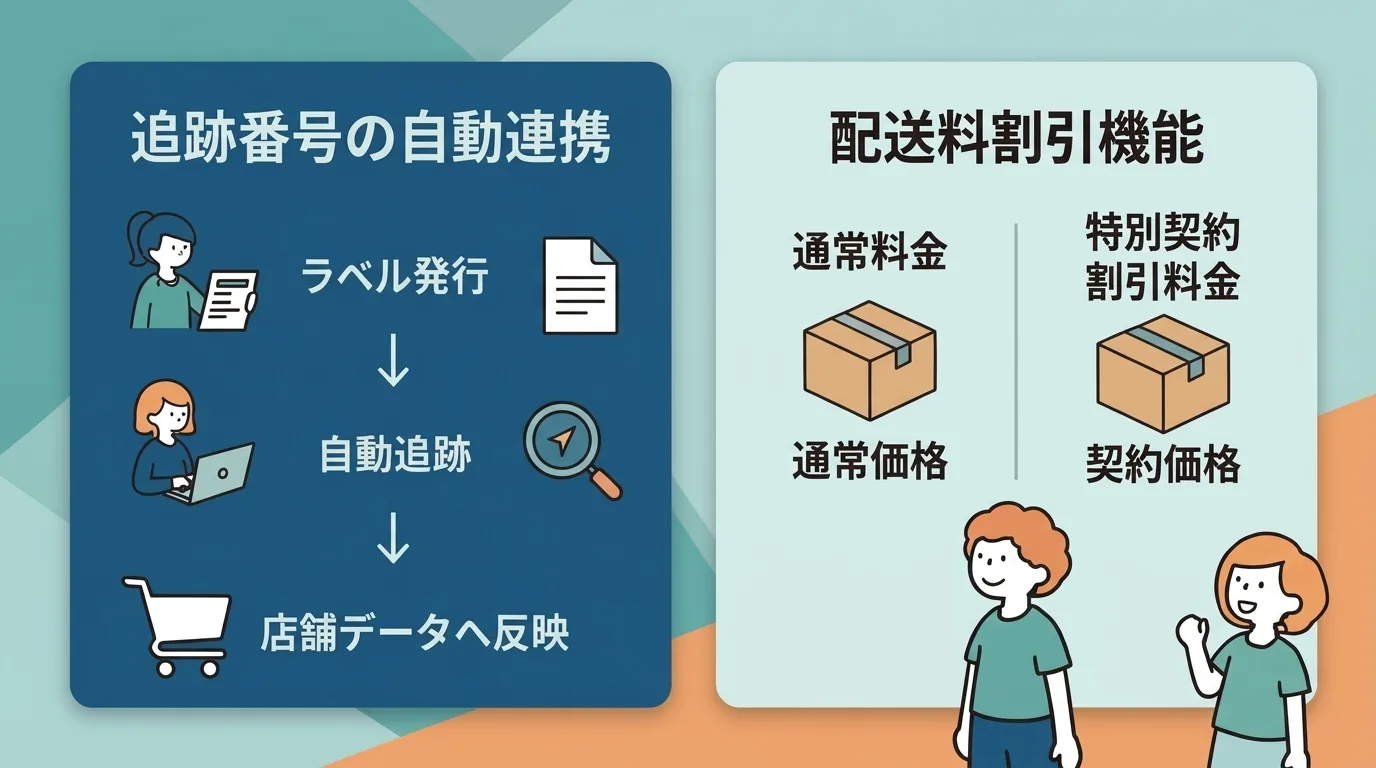
- Tracking number handling: Do you have to enter tracking numbers manually, or are they synced automatically?
- Monthly cost: Is it a flat fee or usage-based? Does the cost scale with your shipment volume?
- Extra features: Delivery date/time selection, LINE notifications, accounting integrations, etc.
CSV export vs. direct label printing: CSV export apps pull your Shopify order data into a CSV file that you then upload to Click Post or your carrier's system. Direct label-printing apps let you create and print shipping labels right from the Shopify admin — no manual CSV upload needed.
Shipping App Comparison Table
The table below is sorted by monthly cost (lowest first). Pricing reflects March 2026 data.
| App | Type | Monthly Cost | Click Post | Yamato | Sagawa | Japan Post | Auto Tracking Sync | Reviews |
|---|---|---|---|---|---|---|---|---|
| Plus Shipping | Direct label | Free (pay per shipment) | × | ○ | ○ | ○ | ○ | ★3.7 (24) |
| Delivery & Order Supporter | CSV + date/time | $0–$18 | TBC | ○ | ○ | ○ | △ (Pro plan) | ★4.0 (17) |
| Click Post CSV Downloader | CSV | $5 | ○ | × | × | × | × | ★5.0 (2) |
| Instant Shipping! | CSV + tracking | $8 | ○ | × | × | × | ○ | New (0) |
| Ship&co | Direct label | $8+ (usage-based) | × | ○ | ○ | ○ | ○ | ★4.9 (133) |
| Delivery Manager | CSV + date/time | $9.90 | ○ | ○ | ○ | ○ | △ (notification only) | ★4.7 (23) |
| easyLabel: Japan Post | Direct label | $14.90+ | × | × | × | ○ (intl. only) | ○ | ★4.5 (5) |
| CSV Download | CSV | $20 | ○ | ○ | ○ | ○ | × | ★5.0 (6) |
| Japan Order CSV | CSV | $29.99 | ○ | ○ | ○ | ○ | △ (import) | ★4.5 (19) |
What does "△" mean? It indicates that tracking number sync requires a manual CSV import step or a higher-tier plan.
App-by-App Breakdown
Click Post CSV Downloader
Developer: dev.justbuild Monthly cost: $5 (7-day free trial) Type: CSV export
A focused app that does one thing well: exporting Shopify orders as a CSV formatted for Click Post's import system. It auto-detects postal code formatting and highlights any fields that exceed Click Post's character limits — small touches that save real time in practice.
At $5/month, it's the cheapest paid option in this comparison.
What it does: Bulk CSV export for Click Post, automatic postal code formatting, character limit validation What it doesn't do: Automatic tracking number sync, support for carriers other than Click Post Good fit for: Stores that only use Click Post and don't mind entering tracking numbers manually. Budget-conscious merchants Not ideal for: Stores that also need Yamato or Sagawa CSVs. Anyone who wants to eliminate manual tracking entry
Instant Shipping! for Click Post
Developer: JizaiDev (built by the author) Monthly cost: $8 Type: CSV export + automatic tracking sync
This app handles Click Post CSV exports and goes a step further: after you print your shipping labels on Click Post, it automatically extracts the tracking numbers from those labels and writes them back to your Shopify orders. When tracking numbers are synced, shipment confirmation emails go out to customers automatically. It also splits addresses into the fields Click Post expects, which helps prevent import errors.
Full disclosure — I built this app for my own store, so let me be upfront about both sides.
What it does: Bulk CSV export for Click Post, automatic tracking number extraction and sync, automatic shipment notification emails, address field splitting What it doesn't do: Support carriers other than Click Post (no Yamato or Sagawa), direct label printing Good fit for: Stores that primarily use Click Post and want to automate tracking number entry Not ideal for: Stores using multiple carriers. Merchants who prefer apps with an established review history (currently 0 reviews)
Japan Order CSV
Developer: Flagship Inc. Monthly cost: Free plan (up to 100 orders) / Complete $29.99/month Type: CSV export
Supports CSV formats for all major Japanese carriers — Yamato (B2 Cloud), Sagawa, Japan Post (including Click Post), Eco-Hai, and Amazon FBA. It carries Shopify's "Built for Shopify" badge and has been featured on the official Shopify blog. Invoice generation is also included.
Tracking numbers can be imported via CSV, but it's a manual upload — not automatic extraction. At $29.99/month, it's the most expensive app in this roundup. That said, the breadth of carrier support and the "Built for Shopify" quality bar make it a legitimate option for stores that regularly ship with multiple carriers.
What it does: Bulk CSV export for major carriers, tracking number CSV import, invoice generation What it doesn't do: Automatic tracking extraction, direct label printing Good fit for: Stores shipping with Yamato, Sagawa, and Japan Post simultaneously. Merchants who value official Shopify certification Not ideal for: Click Post-only stores looking to keep costs down
CSV Download
Developer: GroovyMedia Inc. Monthly cost: Free plan (up to 50 orders per export) / Professional $20/month Type: CSV export
What sets this app apart is that it exports not only carrier CSVs but also formats compatible with Japanese accounting platforms like MoneyForward and Yayoi Kaikei. Carrier coverage includes Yamato (B2 Cloud), Sagawa (e-Hiden), and Japan Post (Click Post + Yu-Pack Print R).
If you want your shipping and accounting workflows in one place, this app eliminates the need to reformat CSVs yourself. It does not support automatic tracking number sync.
What it does: Carrier CSV export, accounting service CSV export, multi-carrier support What it doesn't do: Automatic tracking sync, direct label printing Good fit for: Stores that manage both shipping and accounting through CSV workflows. MoneyForward or Yayoi users Not ideal for: Stores that don't need accounting integration — $20/month may feel steep for CSV export alone
Ship&co
Developer: Ship&co Monthly cost: From $8/month + usage fee (~¥33 per shipment). Monthly plans range from ¥1,100 to ¥39,600 Type: Direct label printing
Ship&co lets you create and print shipping labels directly from the Shopify admin — no CSV upload step. It supports Yamato, Sagawa, Japan Post, and international carriers including FedEx, UPS, and DHL. Tracking numbers sync to Shopify automatically. With 133 reviews and a ★4.9 rating, it's the most widely used Japan-focused shipping app in the Shopify ecosystem.
The catch: it doesn't support Click Post. There's also a per-shipment fee on top of the monthly base, so costs can add up. At 50 shipments/month, expect roughly ¥1,650 in usage fees; at 100 shipments/month, around ¥3,300.
What it does: Direct label creation (no CSV), carrier rate comparison, automatic tracking sync, partial fulfillment, international shipping What it doesn't do: Click Post support Good fit for: Stores using multiple carriers that want to ditch CSV uploads. Stores with international orders Not ideal for: Click Post-heavy stores. Merchants who want to avoid usage-based pricing
Plus Shipping
Developer: Mitsui & Co. Group Monthly cost: Free (pay only shipping fees, starting at ¥499 for 60-size parcels) Type: Direct label printing
No monthly fee at all — you only pay the actual shipping cost per package, and those rates come with a built-in discount. In many cases, you'll pay less than standard carrier rates. The app won "Shopify Fast-Growing App Developer of the Year 2023."
It supports batch label creation, address validation, delivery date/time selection, and automatic tracking sync. Yamato, Sagawa, and Japan Post are covered, but Click Post is not.
The review score sits at ★3.7 (24 reviews), which is lower than most apps here. It's worth reading through the reviews before committing.
What it does: Direct label printing, discounted shipping rates, address validation, delivery date/time scheduling, automatic tracking sync What it doesn't do: Click Post support Good fit for: Stores that want zero monthly fees. Merchants looking to reduce per-shipment costs. Yamato/Sagawa/Japan Post shippers Not ideal for: Click Post users. Merchants who weight review scores heavily
Delivery Manager
Developer: d2c-square.com (Kashimira) Monthly cost: $9.90 Type: CSV export + delivery date/time scheduling
Covers all three major carriers — Yamato, Sagawa, and Japan Post (including Click Post) — for CSV export. On top of that, it adds delivery date/time selection at checkout and LINE notification support. You can configure a business-day calendar so that delivery date options respect your actual operating schedule.
The LINE notification feature, which lets you push shipment confirmations and delivery estimates to customers, is something you won't find in most competing apps. Tracking numbers reach customers through the notification system, but syncing them back to Shopify still requires manual import.
The flat $9.90/month rate doesn't change regardless of shipment volume, which keeps costs predictable.
What it does: CSV export for all major carriers, delivery date/time scheduling, LINE notifications, business-day calendar What it doesn't do: Direct label printing, fully automatic tracking sync to Shopify Good fit for: Stores that use Click Post but also need delivery scheduling and LINE-based customer updates Not ideal for: Stores that only need CSV export without date/time or notification features
Delivery & Order Supporter
Developer: Netyear Group Monthly cost: Free (date/time only) / Basic $9 / Pro $18 Type: CSV + delivery date/time scheduling
The standout feature is that delivery date/time selection at checkout is available on the free plan. CSV export starts at the Basic tier ($9/month). The Pro tier ($18/month) adds tracking number upload and integrations with Next Engine and Open Logi. It supports 8+ carriers including Yamato, Sagawa, and Japan Post.
This tiered structure means you can start with free delivery scheduling and add CSV export or Pro features only when your operation demands it.
What it does: Delivery date/time scheduling (free), CSV export (Basic+), tracking number upload (Pro), Next Engine integration What it doesn't do: Direct label printing. Free plan does not include CSV export Good fit for: Stores that want free delivery scheduling first, with room to scale into CSV export later. Next Engine or Open Logi users Not ideal for: Stores that need CSV export right away — the free plan won't cover it. The $18 Pro tier is pricier than most CSV-only apps
easyLabel: Japan Post
Developer: Lunaris Monthly cost: Lite $14.90 / Plus $69.90 Type: Direct label printing (international shipping only)
A specialized app for Japan Post international shipments. It creates Japan Post shipping labels directly in the Shopify admin and auto-generates customs declaration forms. Tracking numbers sync automatically.
Important caveat: this app does not support domestic shipping within Japan. If most of your orders ship domestically, this isn't the app for you. It's purpose-built for merchants sending packages overseas via Japan Post.
What it does: Japan Post international label creation, customs form auto-generation, automatic tracking sync What it doesn't do: Domestic shipping. Carriers other than Japan Post Good fit for: Stores shipping internationally via Japan Post. Cross-border e-commerce merchants Not ideal for: Stores focused on domestic fulfillment (this app simply won't work for that)
Recommendations by Use Case
Here's a quick way to narrow down your options based on how your store actually ships.
If you only use Click Post
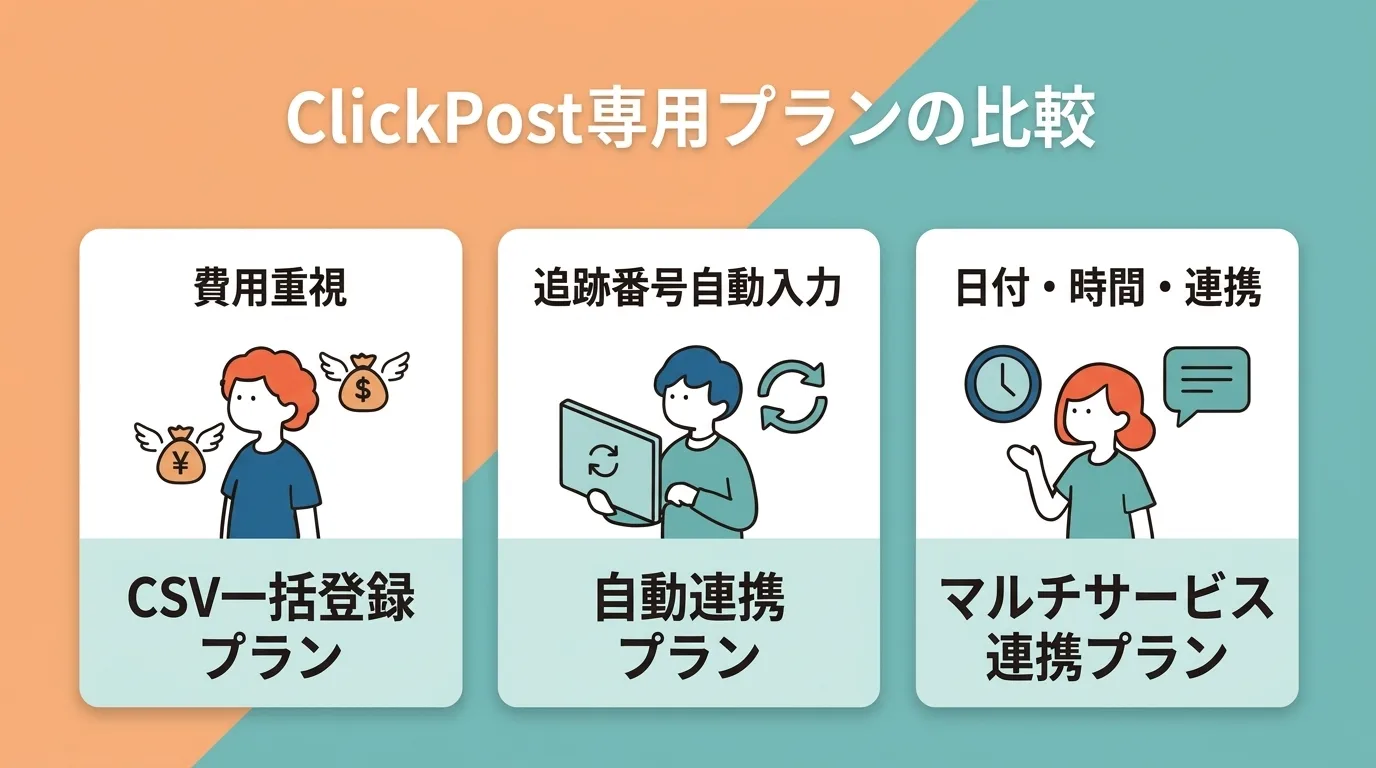
- Keep costs minimal → Click Post CSV Downloader ($5/month)
- Eliminate manual tracking entry → Instant Shipping! ($8/month)
- Also need delivery scheduling and LINE notifications → Delivery Manager ($9.90/month)
If you use Yamato, Sagawa, and Japan Post
- Print labels directly (no CSV) → Ship&co ($8/month + usage fees)
- Zero monthly fee with discounted rates → Plus Shipping (free)
- Export CSVs in bulk → Japan Order CSV ($29.99/month) or CSV Download ($20/month)
- Start with free delivery scheduling → Delivery & Order Supporter (free tier)
If you need accounting integration
- MoneyForward or Yayoi compatibility → CSV Download ($20/month)
If you ship internationally
- Multi-carrier (domestic + international) → Ship&co (FedEx, UPS, DHL supported)
- Japan Post international only → easyLabel ($14.90/month+)
What I personally use: My store ships primarily via Click Post, so I use Instant Shipping! — but since I built it myself, I can't exactly call that an objective recommendation. If you use Click Post and manual tracking entry isn't a pain point, the $5/month Click Post CSV Downloader might be the more cost-effective choice.
Choosing by App Type: CSV Export vs. Direct Label Printing
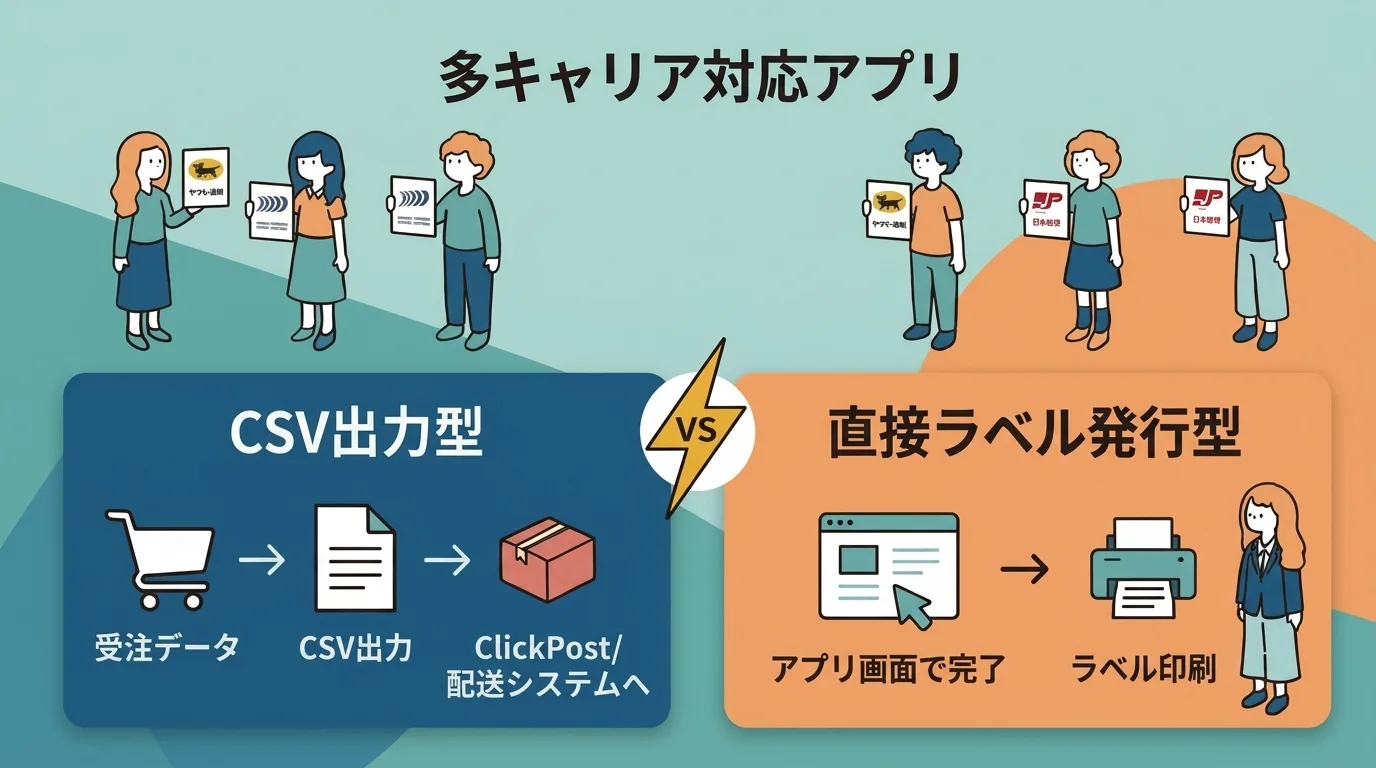
The "type" of app directly affects your daily workflow. Deciding which approach suits you first will make it much easier to shortlist candidates.
How CSV export apps work
These apps pull your Shopify orders into a CSV file, which you then upload to Click Post or your carrier's own system.
- You can review and correct the CSV before uploading
- Most charge a flat monthly fee, so costs stay stable as volume grows
- Since the carrier's system handles payment and label generation, your fulfillment process keeps working even if the app goes down
The trade-off is that the CSV upload step is a manual task you repeat every time. Whether that feels like a burden depends on how many orders you ship per day and how your workflow is set up.
How direct label-printing apps work
These apps let you create and print shipping labels right from the Shopify admin — no CSV upload required.
- Fewer screen switches; everything stays inside Shopify
- Most automatically sync tracking numbers
- Some let you compare carrier rates side by side
The downside is that usage-based apps (like Ship&co) get more expensive as your volume increases. Don't judge by the base monthly fee alone — estimate your total monthly cost at your expected shipment volume before committing.
Frequently Asked Questions
Q. Are there any free shipping apps?
Yes. Plus Shipping has no monthly fee — you only pay per-shipment rates (starting at ¥499 for 60-size parcels). Delivery & Order Supporter also has a free plan, but it only covers delivery date/time scheduling, not CSV export. Japan Order CSV and CSV Download both offer free plans with order-count limitations.
Q. Which apps support Click Post?
Five CSV export apps do: Click Post CSV Downloader, Instant Shipping!, Japan Order CSV, CSV Download, and Delivery Manager. Ship&co, Plus Shipping, and easyLabel do not support Click Post.
Q. Which apps eliminate manual tracking number entry?
The direct label-printing apps — Ship&co, Plus Shipping, and easyLabel — sync tracking numbers automatically because the labels are generated within the app. Among CSV export apps, Instant Shipping! automatically extracts tracking numbers from printed shipping labels and syncs them to Shopify. Delivery Manager and Delivery & Order Supporter (Pro) support tracking via manual CSV import.
Q. What's the best app for low volume (under 10 shipments/month)?
When volume is low, look for low-cost or free-tier apps. For Click Post, Click Post CSV Downloader at $5/month is hard to beat. For multiple carriers, Plus Shipping (free) and Delivery & Order Supporter (free tier) keep upfront costs to a minimum.
Q. What should I watch out for at 100+ shipments/month?
Usage-based pricing. Ship&co charges per shipment, so at 100 shipments/month, you're looking at roughly ¥3,300 in usage fees on top of the base plan. Flat-rate apps like Click Post CSV Downloader, Instant Shipping!, and Delivery Manager charge the same regardless of volume, making them more predictable for high-volume stores.
Q. How current is the information in this article?
All data reflects March 2026 pricing and features. Apps may change their plans at any time, so always check the Shopify App Store page for the latest details. This article is reviewed and updated quarterly.
Wrapping Up
Shopify shipping apps for Japan fall along three main axes: Click Post-only vs. multi-carrier, CSV export vs. direct label printing, and manual vs. automatic tracking sync.
No single app covers every scenario perfectly — each has trade-offs. Start by identifying which carriers you use, how many orders you ship per day, and what you can budget monthly. From there, narrow your list and take advantage of free trials or free plans before committing.
I hope the comparison table and use-case recommendations in this article save you some of the research time it took me to figure this out the hard way.