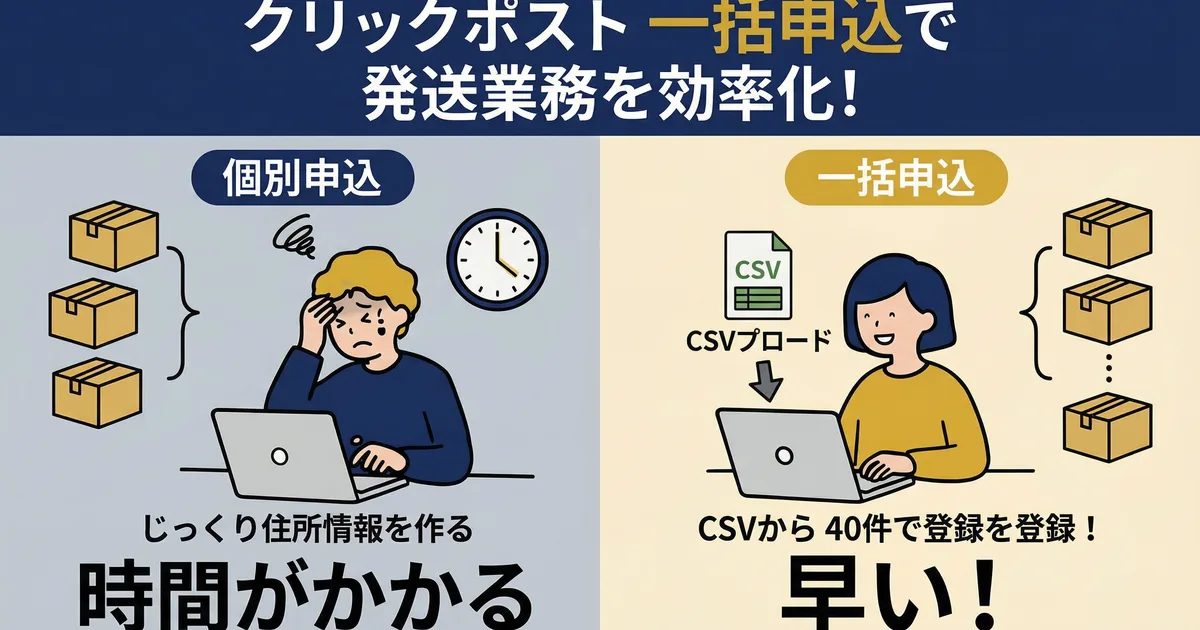
How to Build a Shipping Workflow That Finishes 10 Orders a Day in 15 Minutes
Getting orders on Shopify is great, but if shipping work takes more than 30 minutes every day, it steadily eats into the time you could spend on making products or promoting your store.
If you are shipping around 10 orders a day, you can usually finish within 15 minutes just by improving the sequence of work. In this article, I break down each step of a Click Post shipping workflow with real timings, based on three years of Shopify selling experience and more than 2,200 shipped orders.
Why Shipping Takes Longer Than It Should
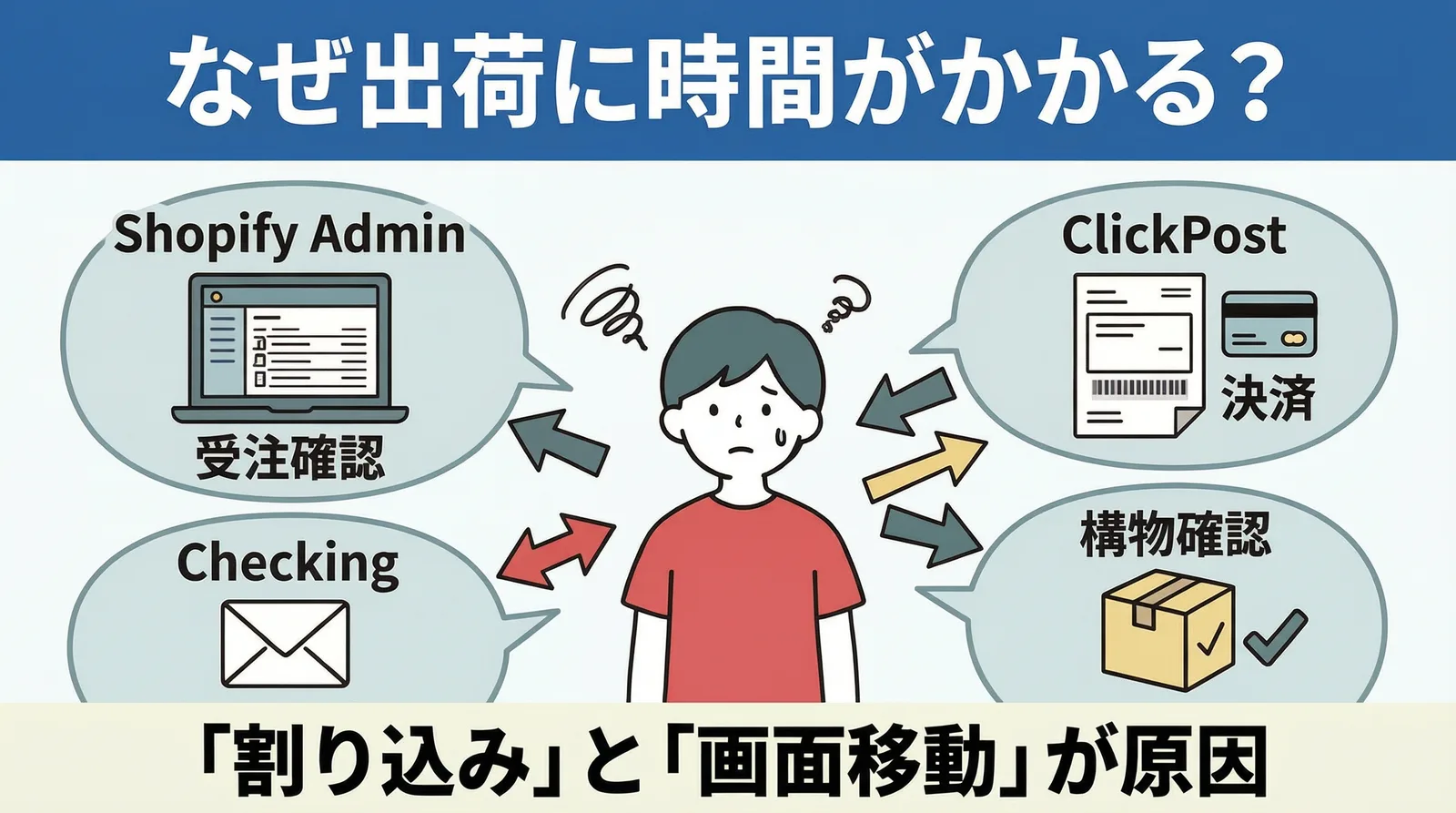
The work keeps bouncing back and forth
The main reason shipping takes too long is often not order volume itself, but constant task switching.
You open the Shopify admin, check orders, export a CSV, switch to Click Post, upload the file, complete payment, print labels, then go back to Shopify to enter tracking numbers. The screen switching and mental overhead of checking what is done take more time than most people expect.
"While I'm at it" tasks keep interrupting the flow
Do you end up answering emails, checking inventory, or counting packaging supplies while shipping? These interruptions can easily turn 10 shipments into a 40-minute job.
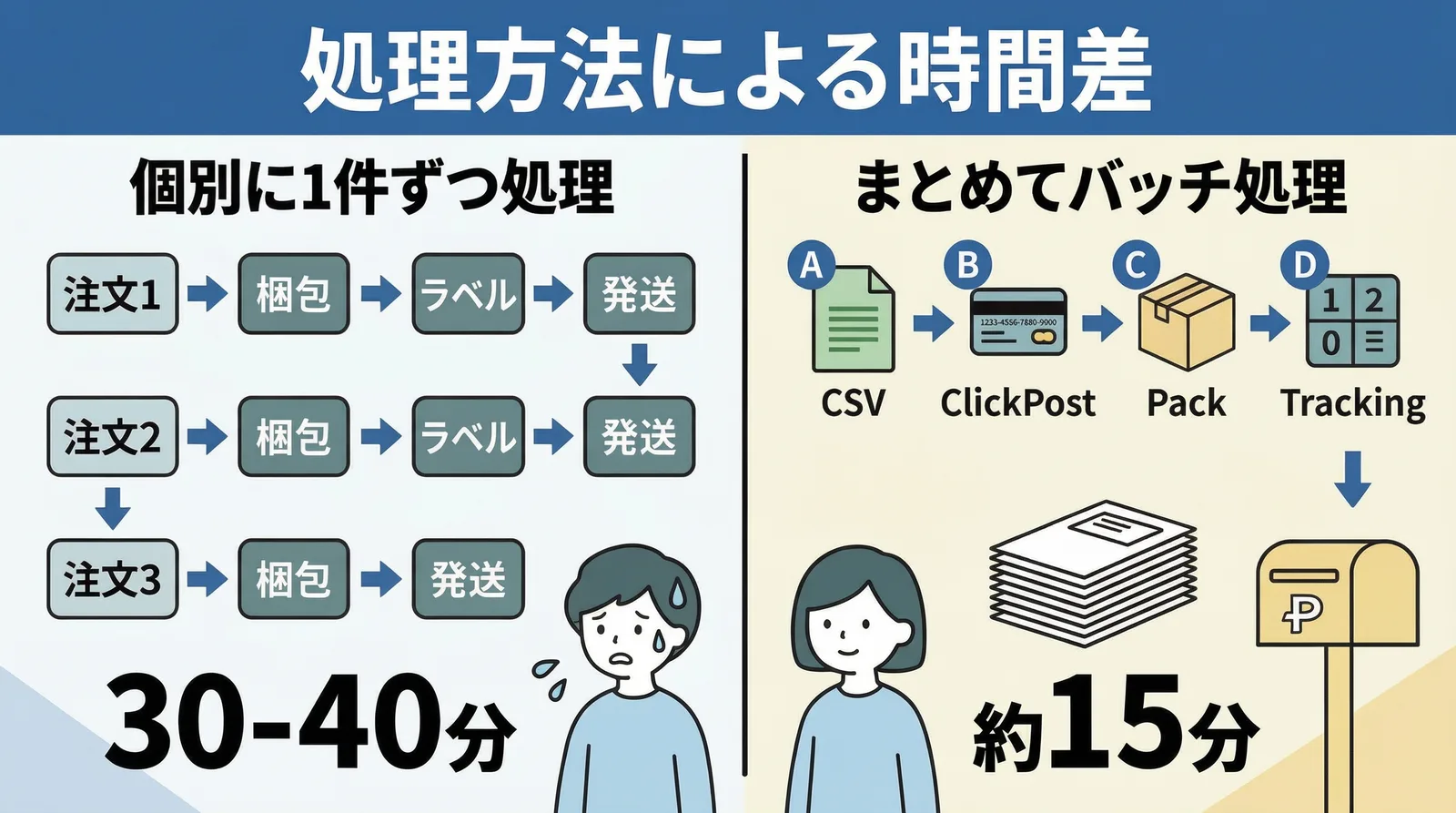
I used to confirm each order one by one in Shopify while packing. The whole process took 30 to 40 minutes. Once I fixed the order of operations, it dropped to around 15 minutes.
The Four Steps of Shipping and How Long They Take
Shipping work can be broken into four steps. Once you understand the time each step requires, it becomes easier to see where the real bottleneck is.
| Step | Task | Time for 10 orders |
|---|---|---|
| 1. CSV export | Export order data from Shopify as CSV | About 1 minute |
| 2. Click Post payment | Upload CSV -> bulk application -> payment | About 2 minutes |
| 3. Label printing and packing | Print labels -> pack items -> attach labels | About 10 minutes |
| 4. Tracking sync | Import shipping labels -> sync tracking numbers in bulk | About 1 minute |
| Total | About 14 minutes |
Packing work, step 3, accounts for nearly 70% of the total time. In other words, all the other steps together take only 4 to 5 minutes.
Steps 1, 2, and 4 are computer work, while step 3 is hands-on work. If you complete the computer tasks first and then move into packing, you avoid the loss caused by switching back and forth.
How to Build a 15-Minute Workflow
Step 1: CSV export, about 1 minute
In the app, select unfulfilled orders and export the CSV. Address splitting and format conversion are handled automatically, so the exported CSV can be used as-is.
At this point, quickly review how many orders you are shipping and what kind of packaging they will need. Knowing in advance which envelopes or materials you need makes the next step smoother.
Step 2: Payment in Click Post, about 2 minutes
Upload the CSV into Click Post's Bulk Application feature and complete payment. After payment, download and print the shipping-label PDF. Batch printing is limited to 20 labels per run.
For 10 shipments, everything fits within a single bulk application because the upload limit is 40. Labels are printed four per A4 sheet, so 10 orders need only three sheets.
Step 3: Packing and label attachment, about 10 minutes
Separate the printed labels, pack the products, and attach the labels. This is the step that consumes the most time.
To keep packing fast, I prepare the following in advance:
- Keep three envelope sizes in stock: A4, A5, and long size 3
- Fix the positions of tape, scissors, and cushioning material so they are always within reach
- Place completed packages in one area with the label side facing up
When the packing process is always the same, you spend less time thinking. Ten orders in 10 minutes means one minute per package.

Step 4: Bulk tracking-number sync, about 1 minute
Once packing is finished, upload the previously downloaded shipping-label file into the app. Tracking numbers are extracted automatically and synced to each Shopify order in bulk. Shipping confirmation emails are also sent automatically at the same time.
With these four steps, everything from CSV export to shipping confirmation is complete. There is no need to return to the Shopify admin and type tracking numbers manually.
Habits That Make the Workflow Faster
Fix the time of day when you ship
I batch shipping work every day at 2 p.m. I process all orders that came in during the morning, then bring them to the post office or mailbox right afterward.
When the shipping time is fixed, you no longer need to keep wondering how many orders are still waiting. You simply process everything that arrived before 2 p.m., which lets you stay focused on product creation during the morning.
Never run out of packing supplies
If you discover during packing that you are out of envelopes, the whole pace collapses. A weekly routine to check stock and replenish supplies keeps the daily shipping flow stable.
Do not complete orders one by one
Handling each order as check -> pack -> label -> tracking entry may look careful, but it is slow. Grouping the same kind of work together as a batch removes switching costs and speeds everything up.
| Processing style | Time for 10 orders | Characteristic |
|---|---|---|
| One order at a time | About 30 to 40 minutes | Frequent screen switching and repeated manual tracking entry |
| Batch processing | About 15 minutes | Same tasks handled together, with bulk tracking sync |
Common Questions
Q. What should I do on days with more than 10 orders?
The basic workflow stays the same. Whether you have 20 or 30 orders, the time required for CSV export and tracking sync is almost unchanged. The only step that grows meaningfully is packing. If you exceed 40 orders, you need to split the Click Post bulk application, but the tracking sync can still be handled efficiently.
Q. Should I still use this workflow on days with only 1 or 2 orders?
Yes. I recommend using the same process regardless of volume. Once you start making exceptions like "I'll just type it manually today," the workflow becomes unstable. Repeating the same process every time is what turns it into a reliable routine.
Q. How can I make packing even faster?
If your products are relatively standardized, define packing patterns in advance. For example, keycaps -> bubble wrap + A5 envelope or cables -> long envelope with no extra cushioning. Once those choices are fixed, the time spent deciding disappears.
Conclusion
The key to faster shipping is not reducing the number of orders. It is fixing the order of operations and handling work in batches.
CSV export, Click Post payment, packing, and tracking sync. If you run these four steps in sequence, around 10 shipments a day can be finished within 15 minutes. For solo merchants, that extra time can go directly into product creation and promotion.
If you want to try making shipping more efficient, take a look at Instant Shipping! for Click Post.